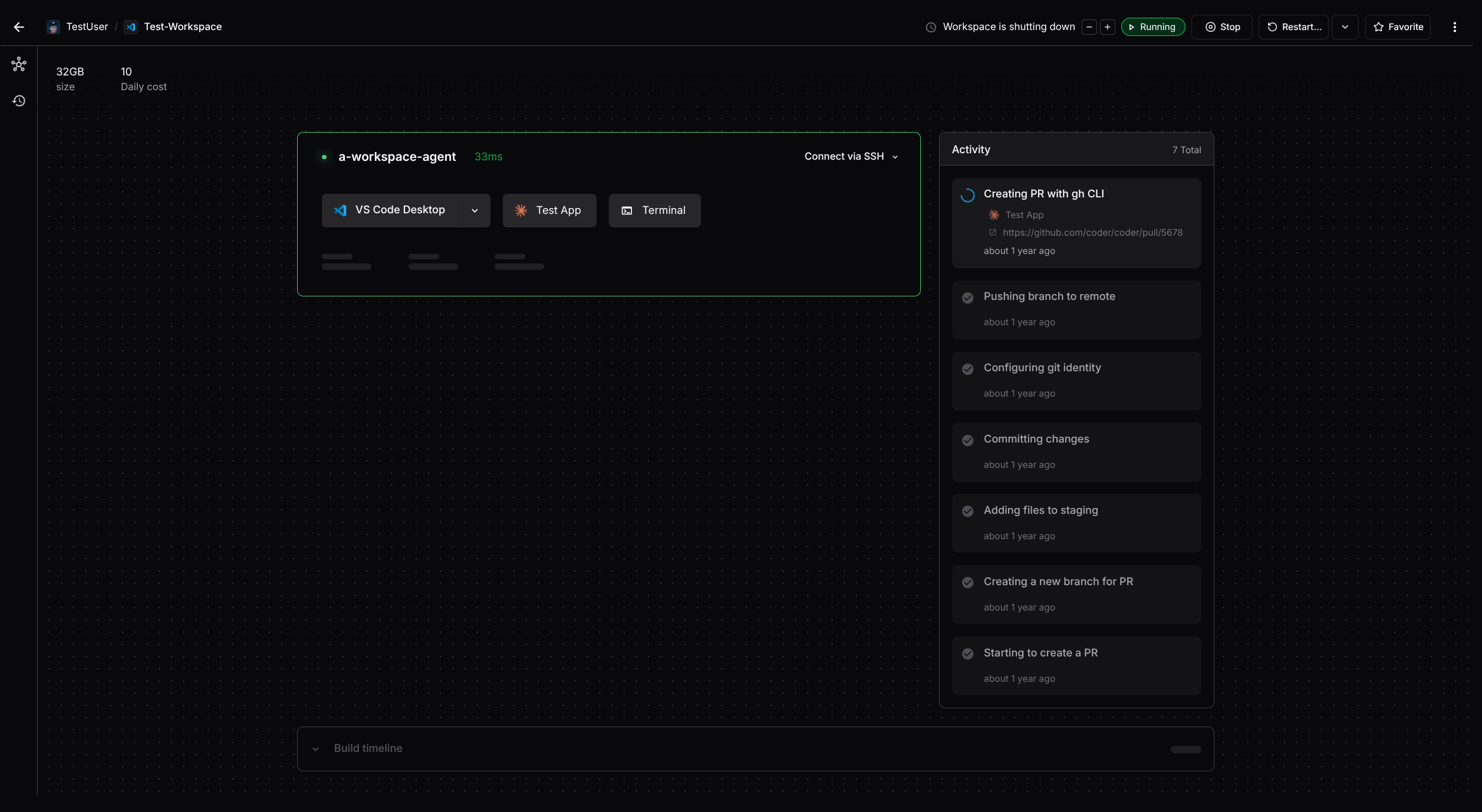
Continues to address https://github.com/coder/coder-desktop-macos/issues/201
Identical to the windows command, except we don't write to stdio. We're retaining the system we have for logging on macOS, where we push logs over the tunnel and use the OS logger.
I've tested that a build with this command works end-to-end with my new version of Coder Desktop macOS.
Also brings in the soft net isolation changes from `main` of coder/tailscale.
## Description
This PR improves the `coder templates presets` and `coder create` CLI
commands to include preset descriptions.
## Changes
* Added a `description` column to the `coder templates presets list` CLI
command.
* Fixed the `-o json` output for `coder templates presets list` to
correctly include and format data.
* Updated the `coder create` CLI command to display the preset's
description in the selection menu.
Follow-up from:
* https://github.com/coder/coder/pull/18910
* https://github.com/coder/coder/pull/18912
* https://github.com/coder/coder/pull/18977
**Add pod-level securityContext support to Coder Helm chart**
Adds `coder.podSecurityContext` field to enable pod-level security
settings, primarily to solve TLS certificate mounting permission issues.
**Problem**: When mounting TLS certificates from Kubernetes secrets, the
Coder process (UID 1000) cannot read the files due to restrictive
permissions.
**Solution**: Setting `podSecurityContext.fsGroup: 1000` ensures
Kubernetes sets group ownership of mounted volumes to GID 1000, allowing
the Coder process to read certificate files.
**Changes**:
- Added `podSecurityContext` field to values.yaml with documentation
- Updated `_coder.yaml` template to include pod-level security context
- Added test case and golden files
- Maintains backward compatibility (opt-in feature)
**Usage**:
```yaml
coder:
podSecurityContext:
fsGroup: 1000 # Enables TLS cert access
```
Fixes#19038
I just added support for rendering GFM alerts inside of numbered lists
in coder.com (see https://github.com/coder/coder.com/pull/328), and
noticed that these plain blockquotes should probably be alerts.
This should cover all the missing alerts. I found them by searching for
the regex `^\s*>\s` within docs/**/*.md
Is `[!NOTE]` the correct type for these? Or do we want to use
tip/important/etc?
- @mtojek CONTRIBUTING.md
- @johnstcn support-bundle.md
- @matifali gateway.md
## Description
This PR adds support for `description` and `icon` fields to
`template_version_presets`. These fields will allow displaying richer
information for presets in the UI, improving the user experience when
creating a workspace.
Both fields are optional, non-nullable, and default to empty strings.
## Changes
* Database migration with the addition of `description VARCHAR(128)` and
`icon VARCHAR(256)` columns to the `template_version_presets` table.
* Updated the `CreateWorkspacePageView` in the UI
Note: UI changes will be addressed in a separate PR
## Description
This PR introduces a `--preset` flag for the `create` command to allow
users to apply a predefined preset to their workspace build.
## Changes
- The `--preset` flag on the `create` command integrates with the
parameter resolution logic and takes precedence over other sources
(e.g., CLI/env vars, last build, etc.).
- Added internal logic to ensure that preset parameters override
parameters values during resolution.
- Updated tests and added new ones to cover these flows.
## Implementation logic
* If a template has presets and includes a default, the CLI will
automatically use the default when `--preset` is not specified.
* If a template has presets but no default, the CLI will prompt the user
to select one when `--preset` is not specified.
* If a template does not have presets, the CLI will not prompt the user
for a preset.
* If the user specifies a preset using the `--preset` flag, that preset
will be used.
* If the user passes `--preset None`, no preset will be applied.
This logic aligns with the behavior in the UI for consistency.
```
> coder create --help
USAGE:
coder create [flags] [workspace]
Create a workspace
- Create a workspace for another user (if you have permission):
$ coder create <username>/<workspace_name>
OPTIONS:
(...)
--preset string, $CODER_PRESET_NAME
Specify the name of a template version preset. Use 'none' to explicitly indicate that no preset should be used.
(...)
-y, --yes bool
Bypass prompts.
```
## Breaking change
**Note:** This is a breaking change to the create CLI command. If a
template includes presets and the user does not provide a `--preset`
flag, the CLI will now prompt the user to select one. This behavior may
break non-interactive scripts or automated workflows.
Relates to PR: https://github.com/coder/coder/pull/18910 - please
consider both PRs together as they’re part of the same workflow
Relates to issue: https://github.com/coder/coder/issues/16594
Closes https://github.com/coder/internal/issues/711
When a `devcontainer.json` has been found and it has `.customizations.coder.autoStart = true`, we will now auto start this dev container.
# Add timeout support to workspace bash tool
This PR adds a timeout feature to the workspace bash tool, allowing
users to specify a maximum execution time for commands. Key changes
include:
- Added a `timeout_ms` parameter to control command execution time
(defaults to 60 seconds, with a maximum of 5 minutes)
- Implemented a new `executeCommandWithTimeout` function that properly
handles command timeouts
- Added proper output capturing during timeout scenarios, returning all
output collected before the timeout
- Updated documentation to explain the timeout feature and provide usage
examples
- Added comprehensive tests for the timeout functionality, including
integration tests
When a command times out, the tool now returns all captured output up to
that point along with a cancellation message, making it clear to users
what happened.
Signed-off-by: Thomas Kosiewski <tk@coder.com>
This pull request addresses a bug related to a nil pointer dereference
in the task reporting functionality.
### Bug Fixes and Error Handling:
* Updated `RegisterTools` in `mcp.go` to skip registering the
`ReportTask` tool in the remote MCP context when a task reporter is not
configured, preventing potential nil pointer dereference panics.
* Added a check in `toolsdk.go` to ensure task reporting dependencies
are available before invoking the reporter, returning an appropriate
error if not.
### Test Coverage:
* Added `TestReportTaskNilPointerDeref` in `toolsdk_test.go` to verify
that the system does not panic when task reporting dependencies are
missing and instead returns a clear error message.
* Added `TestReportTaskWithReporter` in `toolsdk_test.go` to validate
correct behavior when a task reporter is configured, ensuring the
handler processes the request as expected.
Signed-off-by: Thomas Kosiewski <tk@coder.com>
[//]: # (dependabot-start)
⚠️ **Dependabot is rebasing this PR** ⚠️
Rebasing might not happen immediately, so don't worry if this takes some
time.
Note: if you make any changes to this PR yourself, they will take
precedence over the rebase.
---
[//]: # (dependabot-end)
[](https://docs.github.com/en/github/managing-security-vulnerabilities/about-dependabot-security-updates#about-compatibility-scores)
Dependabot will resolve any conflicts with this PR as long as you don't
alter it yourself. You can also trigger a rebase manually by commenting
`@dependabot rebase`.
[//]: # (dependabot-automerge-start)
[//]: # (dependabot-automerge-end)
---
<details>
<summary>Dependabot commands and options</summary>
<br />
You can trigger Dependabot actions by commenting on this PR:
- `@dependabot rebase` will rebase this PR
- `@dependabot recreate` will recreate this PR, overwriting any edits
that have been made to it
- `@dependabot merge` will merge this PR after your CI passes on it
- `@dependabot squash and merge` will squash and merge this PR after
your CI passes on it
- `@dependabot cancel merge` will cancel a previously requested merge
and block automerging
- `@dependabot reopen` will reopen this PR if it is closed
- `@dependabot close` will close this PR and stop Dependabot recreating
it. You can achieve the same result by closing it manually
- `@dependabot show <dependency name> ignore conditions` will show all
of the ignore conditions of the specified dependency
- `@dependabot ignore this major version` will close this PR and stop
Dependabot creating any more for this major version (unless you reopen
the PR or upgrade to it yourself)
- `@dependabot ignore this minor version` will close this PR and stop
Dependabot creating any more for this minor version (unless you reopen
the PR or upgrade to it yourself)
- `@dependabot ignore this dependency` will close this PR and stop
Dependabot creating any more for this dependency (unless you reopen the
PR or upgrade to it yourself)
</details>
Signed-off-by: dependabot[bot] <support@github.com>
Co-authored-by: dependabot[bot] <49699333+dependabot[bot]@users.noreply.github.com>
[](https://docs.github.com/en/github/managing-security-vulnerabilities/about-dependabot-security-updates#about-compatibility-scores)
Dependabot will resolve any conflicts with this PR as long as you don't
alter it yourself. You can also trigger a rebase manually by commenting
`@dependabot rebase`.
[//]: # (dependabot-automerge-start)
[//]: # (dependabot-automerge-end)
---
<details>
<summary>Dependabot commands and options</summary>
<br />
You can trigger Dependabot actions by commenting on this PR:
- `@dependabot rebase` will rebase this PR
- `@dependabot recreate` will recreate this PR, overwriting any edits
that have been made to it
- `@dependabot merge` will merge this PR after your CI passes on it
- `@dependabot squash and merge` will squash and merge this PR after
your CI passes on it
- `@dependabot cancel merge` will cancel a previously requested merge
and block automerging
- `@dependabot reopen` will reopen this PR if it is closed
- `@dependabot close` will close this PR and stop Dependabot recreating
it. You can achieve the same result by closing it manually
- `@dependabot show <dependency name> ignore conditions` will show all
of the ignore conditions of the specified dependency
- `@dependabot ignore this major version` will close this PR and stop
Dependabot creating any more for this major version (unless you reopen
the PR or upgrade to it yourself)
- `@dependabot ignore this minor version` will close this PR and stop
Dependabot creating any more for this minor version (unless you reopen
the PR or upgrade to it yourself)
- `@dependabot ignore this dependency` will close this PR and stop
Dependabot creating any more for this dependency (unless you reopen the
PR or upgrade to it yourself)
</details>
Signed-off-by: dependabot[bot] <support@github.com>
Co-authored-by: dependabot[bot] <49699333+dependabot[bot]@users.noreply.github.com>
[](https://docs.github.com/en/github/managing-security-vulnerabilities/about-dependabot-security-updates#about-compatibility-scores)
Dependabot will resolve any conflicts with this PR as long as you don't
alter it yourself. You can also trigger a rebase manually by commenting
`@dependabot rebase`.
[//]: # (dependabot-automerge-start)
[//]: # (dependabot-automerge-end)
---
<details>
<summary>Dependabot commands and options</summary>
<br />
You can trigger Dependabot actions by commenting on this PR:
- `@dependabot rebase` will rebase this PR
- `@dependabot recreate` will recreate this PR, overwriting any edits
that have been made to it
- `@dependabot merge` will merge this PR after your CI passes on it
- `@dependabot squash and merge` will squash and merge this PR after
your CI passes on it
- `@dependabot cancel merge` will cancel a previously requested merge
and block automerging
- `@dependabot reopen` will reopen this PR if it is closed
- `@dependabot close` will close this PR and stop Dependabot recreating
it. You can achieve the same result by closing it manually
- `@dependabot show <dependency name> ignore conditions` will show all
of the ignore conditions of the specified dependency
- `@dependabot ignore this major version` will close this PR and stop
Dependabot creating any more for this major version (unless you reopen
the PR or upgrade to it yourself)
- `@dependabot ignore this minor version` will close this PR and stop
Dependabot creating any more for this minor version (unless you reopen
the PR or upgrade to it yourself)
- `@dependabot ignore this dependency` will close this PR and stop
Dependabot creating any more for this dependency (unless you reopen the
PR or upgrade to it yourself)
</details>
Signed-off-by: dependabot[bot] <support@github.com>
Co-authored-by: dependabot[bot] <49699333+dependabot[bot]@users.noreply.github.com>
[](https://docs.github.com/en/github/managing-security-vulnerabilities/about-dependabot-security-updates#about-compatibility-scores)
Dependabot will resolve any conflicts with this PR as long as you don't
alter it yourself. You can also trigger a rebase manually by commenting
`@dependabot rebase`.
[//]: # (dependabot-automerge-start)
[//]: # (dependabot-automerge-end)
---
<details>
<summary>Dependabot commands and options</summary>
<br />
You can trigger Dependabot actions by commenting on this PR:
- `@dependabot rebase` will rebase this PR
- `@dependabot recreate` will recreate this PR, overwriting any edits
that have been made to it
- `@dependabot merge` will merge this PR after your CI passes on it
- `@dependabot squash and merge` will squash and merge this PR after
your CI passes on it
- `@dependabot cancel merge` will cancel a previously requested merge
and block automerging
- `@dependabot reopen` will reopen this PR if it is closed
- `@dependabot close` will close this PR and stop Dependabot recreating
it. You can achieve the same result by closing it manually
- `@dependabot show <dependency name> ignore conditions` will show all
of the ignore conditions of the specified dependency
- `@dependabot ignore this major version` will close this PR and stop
Dependabot creating any more for this major version (unless you reopen
the PR or upgrade to it yourself)
- `@dependabot ignore this minor version` will close this PR and stop
Dependabot creating any more for this minor version (unless you reopen
the PR or upgrade to it yourself)
- `@dependabot ignore this dependency` will close this PR and stop
Dependabot creating any more for this dependency (unless you reopen the
PR or upgrade to it yourself)
</details>
Signed-off-by: dependabot[bot] <support@github.com>
Co-authored-by: dependabot[bot] <49699333+dependabot[bot]@users.noreply.github.com>
[](https://docs.github.com/en/github/managing-security-vulnerabilities/about-dependabot-security-updates#about-compatibility-scores)
Dependabot will resolve any conflicts with this PR as long as you don't
alter it yourself. You can also trigger a rebase manually by commenting
`@dependabot rebase`.
[//]: # (dependabot-automerge-start)
[//]: # (dependabot-automerge-end)
---
<details>
<summary>Dependabot commands and options</summary>
<br />
You can trigger Dependabot actions by commenting on this PR:
- `@dependabot rebase` will rebase this PR
- `@dependabot recreate` will recreate this PR, overwriting any edits
that have been made to it
- `@dependabot merge` will merge this PR after your CI passes on it
- `@dependabot squash and merge` will squash and merge this PR after
your CI passes on it
- `@dependabot cancel merge` will cancel a previously requested merge
and block automerging
- `@dependabot reopen` will reopen this PR if it is closed
- `@dependabot close` will close this PR and stop Dependabot recreating
it. You can achieve the same result by closing it manually
- `@dependabot show <dependency name> ignore conditions` will show all
of the ignore conditions of the specified dependency
- `@dependabot ignore this major version` will close this PR and stop
Dependabot creating any more for this major version (unless you reopen
the PR or upgrade to it yourself)
- `@dependabot ignore this minor version` will close this PR and stop
Dependabot creating any more for this minor version (unless you reopen
the PR or upgrade to it yourself)
- `@dependabot ignore this dependency` will close this PR and stop
Dependabot creating any more for this dependency (unless you reopen the
PR or upgrade to it yourself)
</details>
Signed-off-by: dependabot[bot] <support@github.com>
Co-authored-by: dependabot[bot] <49699333+dependabot[bot]@users.noreply.github.com>
* Adds a preset selector in TasksPage with the default preset pre-selected and at the top of the list.
* If no default preset exists, the user is prompted to select one.
* If a preset defines an AI Prompt, it will override the textarea.
## Description
This PR introduces a new `list presets` command to display the presets
associated with a given template.
By default, it displays the presets for the template's active version,
unless a `--template-version` flag is provided.
## Changes
* Added a new `list presets` command under `coder templates presets` to
display presets associated with a template.
* By default, the command lists presets from the template’s active
version.
* Users can override the default behavior by providing the
`--template-version` flag to target a specific version.
```
> coder templates versions presets list --help
USAGE:
coder templates presets list [flags] <template>
List all presets of the specified template. Defaults to the active template version.
OPTIONS:
-O, --org string, $CODER_ORGANIZATION
Select which organization (uuid or name) to use.
-c, --column [name|parameters|default|desired prebuild instances] (default: name,parameters,default,desired prebuild instances)
Columns to display in table output.
-o, --output table|json (default: table)
Output format.
--template-version string
Specify a template version to list presets for. Defaults to the active version.
```
Related PR: https://github.com/coder/coder/pull/18912 - please consider
both PRs together as they’re part of the same workflow
Relates to issue: https://github.com/coder/coder/issues/16594
<!-- This is an auto-generated comment: release notes by coderabbit.ai
-->
## Summary by CodeRabbit
* **New Features**
* Added CLI commands to manage and list presets for specific template
versions, supporting tabular and JSON output.
* Introduced a new CLI subcommand group for template version presets,
including detailed help and documentation.
* Added support for displaying and managing the desired number of
prebuild instances for presets in CLI, API, and UI.
* **Documentation**
* Updated and expanded CLI and API documentation to describe new
commands, options, and the desired prebuild instances field in presets.
* Added new help output and reference files for template version presets
commands.
* **Bug Fixes**
* Ensured correct handling and display of the desired prebuild instances
property for presets across CLI, API, and UI.
* **Tests**
* Introduced end-to-end tests for listing template version presets,
covering scenarios with and without presets.
<!-- end of auto-generated comment: release notes by coderabbit.ai -->
Updates `develop.sh`, `coder-dev.sh` and `build_go.sh` to conditionally override `codersdk.SessionTokenCookie` for usage in nested development scenario.
Relates to https://github.com/coder/internal/issues/711
This PR implements a project discovery mechanism that searches for any
dev container projects and makes them visible in the UI so that they can
be started. To make the wording on the site more clear, "Rebuild" has
been changed to "Start" when there is no container associated with a
known dev container configuration. I've also made it so that site will
show the dev container config path when there is no other name
available.
### Design decisions
Just want to ensure my explanation for a few design decisions are noted
down:
- We only search for dev container configurations inside git
repositories
- We only search for these git repositories if they're at the top level
or a direct child of the agent directory.
This limited approach is to reduce the amount of files we ultimately
walk when trying to find these projects. It makes sense to limit it to
only the agent directory, although I'm open to expanding how deep we
search.
- Refactors the bash tool to use `io.Discard` instead of nil to avoid panics.
- Enhances panic recovery in `codersdk/toolsdk/toolsdk.go` by adding stack trace information in development builds. When a panic occurs in a tool handler:
- In development builds: The error includes the full stack trace for easier debugging
- In production builds: A simpler error message is shown without the stack trace
This PR introduces new build reason values to identify what type of
connection triggered a workspace build, helping to troubleshoot
workspace-related issues.
## Database Migration
Added migration 000349_extend_workspace_build_reason.up.sql that extends
the build_reason enum with new values:
```
dashboard, cli, ssh_connection, vscode_connection, jetbrains_connection
```
## Implementation
The build reason is specified through the API when creating new
workspace builds:
- Dashboard: Automatically sets reason to `dashboard` when users start
workspaces via the web interface
- CLI `start` command: Sets reason to `cli` when workspaces are started
via the command line
- CLI `ssh` command: Sets reason to ssh_connection when workspaces are
started due to SSH connections
- VS Code connections: Will be set to `vscode_connection` by the VS Code
extension through CLI hidden flag
(https://github.com/coder/vscode-coder/pull/550)
- JetBrains connections: Will be set to `jetbrains_connection` by the
Jetbrains Toolbox
(https://github.com/coder/coder-jetbrains-toolbox/pull/150) and
Jetbrains Gateway extension
(https://github.com/coder/jetbrains-coder/pull/561)
## UI Changes:
* Tooltip with reason in Build history
<img width="309" height="457" alt="image"
src="https://github.com/user-attachments/assets/bde8440b-bf3b-49a1-a244-ed7e8eb9763c"
/>
* Reason in Audit Logs Row tooltip
<img width="906" height="237" alt="image"
src="https://github.com/user-attachments/assets/ebbb62c7-cf07-4398-afbf-323c83fb6426"
/>
<img width="909" height="188" alt="image"
src="https://github.com/user-attachments/assets/1ddbab07-44bf-4dee-8867-b4e2cd56ae96"
/>
- Adds a query for counting managed agent workspace builds between two
timestamps
- The "Actual" field in the feature entitlement for managed agents is
now populated with the value read from the database
- The wsbuilder package now validates AI agent usage against the limit
when a license is installed
Closescoder/internal#777
Simplifies the title to reduce customer confusion as requested by
@kylejaggi.
The DX platform covers all products, not just Data Cloud. This change
makes the documentation clearer for customers who might get confused
about which DX product the integration refers to.
**Changes:**
- Updated page title from "DX Data Cloud" to "DX" in
`docs/admin/integrations/dx-data-cloud.md`
**Testing:**
- Verified the markdown renders correctly
- No functional changes, documentation-only update
---------
Co-authored-by: blink-so[bot] <211532188+blink-so[bot]@users.noreply.github.com>
Co-authored-by: bpmct <22407953+bpmct@users.noreply.github.com>
<!-- This is an auto-generated comment: release notes by coderabbit.ai
-->
## Summary by CodeRabbit
* **Style**
* Removed the "beta" badge from various workspace and template settings
pages. The "Dynamic parameters" feature no longer displays a beta label
in the interface.
<!-- end of auto-generated comment: release notes by coderabbit.ai -->
# Add SSH Command Execution Tool for Coder Workspaces
This PR adds a new AI tool `coder_workspace_ssh_exec` that allows executing commands in Coder workspaces via SSH. The tool provides functionality similar to the `coder ssh <workspace> <command>` CLI command.
Key features:
- Executes commands in workspaces via SSH and returns the output and exit code
- Automatically starts workspaces if they're stopped
- Waits for the agent to be ready before executing commands
- Trims leading and trailing whitespace from command output
- Supports various workspace identifier formats:
- `workspace` (uses current user)
- `owner/workspace`
- `owner--workspace`
- `workspace.agent` (specific agent)
- `owner/workspace.agent`
The implementation includes:
- A new tool definition with schema and handler
- Helper functions for workspace and agent discovery
- Workspace name normalization to handle different input formats
- Comprehensive test coverage including integration tests
This tool enables AI assistants to execute commands in user workspaces, making it possible to automate tasks and provide more interactive assistance.
<!-- This is an auto-generated comment: release notes by coderabbit.ai -->
## Summary by CodeRabbit
* **New Features**
* Introduced the ability to execute bash commands inside a Coder workspace via SSH, supporting multiple workspace identification formats.
* **Tests**
* Added comprehensive unit and integration tests for executing bash commands in workspaces, including input validation, output handling, and error scenarios.
* **Chores**
* Registered the new bash execution tool in the global tools list.
<!-- end of auto-generated comment: release notes by coderabbit.ai -->
Updates the dogfood envbuilder template to pull modules from
`dev.registry.coder.com` instead of `registry.coder.com` to match the
regular dogfood template.
This ensures consistency between both dogfood templates and uses the
development registry for testing new module versions.
Co-authored-by: blink-so[bot] <211532188+blink-so[bot]@users.noreply.github.com>
Co-authored-by: matifali <10648092+matifali@users.noreply.github.com>
[](https://docs.github.com/en/github/managing-security-vulnerabilities/about-dependabot-security-updates#about-compatibility-scores)
Dependabot will resolve any conflicts with this PR as long as you don't
alter it yourself. You can also trigger a rebase manually by commenting
`@dependabot rebase`.
[//]: # (dependabot-automerge-start)
[//]: # (dependabot-automerge-end)
---
<details>
<summary>Dependabot commands and options</summary>
<br />
You can trigger Dependabot actions by commenting on this PR:
- `@dependabot rebase` will rebase this PR
- `@dependabot recreate` will recreate this PR, overwriting any edits
that have been made to it
- `@dependabot merge` will merge this PR after your CI passes on it
- `@dependabot squash and merge` will squash and merge this PR after
your CI passes on it
- `@dependabot cancel merge` will cancel a previously requested merge
and block automerging
- `@dependabot reopen` will reopen this PR if it is closed
- `@dependabot close` will close this PR and stop Dependabot recreating
it. You can achieve the same result by closing it manually
- `@dependabot show <dependency name> ignore conditions` will show all
of the ignore conditions of the specified dependency
- `@dependabot ignore this major version` will close this PR and stop
Dependabot creating any more for this major version (unless you reopen
the PR or upgrade to it yourself)
- `@dependabot ignore this minor version` will close this PR and stop
Dependabot creating any more for this minor version (unless you reopen
the PR or upgrade to it yourself)
- `@dependabot ignore this dependency` will close this PR and stop
Dependabot creating any more for this dependency (unless you reopen the
PR or upgrade to it yourself)
</details>
Signed-off-by: dependabot[bot] <support@github.com>
Co-authored-by: dependabot[bot] <49699333+dependabot[bot]@users.noreply.github.com>
[](https://docs.github.com/en/github/managing-security-vulnerabilities/about-dependabot-security-updates#about-compatibility-scores)
Dependabot will resolve any conflicts with this PR as long as you don't
alter it yourself. You can also trigger a rebase manually by commenting
`@dependabot rebase`.
[//]: # (dependabot-automerge-start)
[//]: # (dependabot-automerge-end)
---
<details>
<summary>Dependabot commands and options</summary>
<br />
You can trigger Dependabot actions by commenting on this PR:
- `@dependabot rebase` will rebase this PR
- `@dependabot recreate` will recreate this PR, overwriting any edits
that have been made to it
- `@dependabot merge` will merge this PR after your CI passes on it
- `@dependabot squash and merge` will squash and merge this PR after
your CI passes on it
- `@dependabot cancel merge` will cancel a previously requested merge
and block automerging
- `@dependabot reopen` will reopen this PR if it is closed
- `@dependabot close` will close this PR and stop Dependabot recreating
it. You can achieve the same result by closing it manually
- `@dependabot show <dependency name> ignore conditions` will show all
of the ignore conditions of the specified dependency
- `@dependabot ignore this major version` will close this PR and stop
Dependabot creating any more for this major version (unless you reopen
the PR or upgrade to it yourself)
- `@dependabot ignore this minor version` will close this PR and stop
Dependabot creating any more for this minor version (unless you reopen
the PR or upgrade to it yourself)
- `@dependabot ignore this dependency` will close this PR and stop
Dependabot creating any more for this dependency (unless you reopen the
PR or upgrade to it yourself)
</details>
Signed-off-by: dependabot[bot] <support@github.com>
Co-authored-by: dependabot[bot] <49699333+dependabot[bot]@users.noreply.github.com>
[](https://docs.github.com/en/github/managing-security-vulnerabilities/about-dependabot-security-updates#about-compatibility-scores)
Dependabot will resolve any conflicts with this PR as long as you don't
alter it yourself. You can also trigger a rebase manually by commenting
`@dependabot rebase`.
[//]: # (dependabot-automerge-start)
[//]: # (dependabot-automerge-end)
---
<details>
<summary>Dependabot commands and options</summary>
<br />
You can trigger Dependabot actions by commenting on this PR:
- `@dependabot rebase` will rebase this PR
- `@dependabot recreate` will recreate this PR, overwriting any edits
that have been made to it
- `@dependabot merge` will merge this PR after your CI passes on it
- `@dependabot squash and merge` will squash and merge this PR after
your CI passes on it
- `@dependabot cancel merge` will cancel a previously requested merge
and block automerging
- `@dependabot reopen` will reopen this PR if it is closed
- `@dependabot close` will close this PR and stop Dependabot recreating
it. You can achieve the same result by closing it manually
- `@dependabot show <dependency name> ignore conditions` will show all
of the ignore conditions of the specified dependency
- `@dependabot ignore this major version` will close this PR and stop
Dependabot creating any more for this major version (unless you reopen
the PR or upgrade to it yourself)
- `@dependabot ignore this minor version` will close this PR and stop
Dependabot creating any more for this minor version (unless you reopen
the PR or upgrade to it yourself)
- `@dependabot ignore this dependency` will close this PR and stop
Dependabot creating any more for this dependency (unless you reopen the
PR or upgrade to it yourself)
</details>
Signed-off-by: dependabot[bot] <support@github.com>
Co-authored-by: dependabot[bot] <49699333+dependabot[bot]@users.noreply.github.com>
[](https://docs.github.com/en/github/managing-security-vulnerabilities/about-dependabot-security-updates#about-compatibility-scores)
Dependabot will resolve any conflicts with this PR as long as you don't
alter it yourself. You can also trigger a rebase manually by commenting
`@dependabot rebase`.
[//]: # (dependabot-automerge-start)
[//]: # (dependabot-automerge-end)
---
<details>
<summary>Dependabot commands and options</summary>
<br />
You can trigger Dependabot actions by commenting on this PR:
- `@dependabot rebase` will rebase this PR
- `@dependabot recreate` will recreate this PR, overwriting any edits
that have been made to it
- `@dependabot merge` will merge this PR after your CI passes on it
- `@dependabot squash and merge` will squash and merge this PR after
your CI passes on it
- `@dependabot cancel merge` will cancel a previously requested merge
and block automerging
- `@dependabot reopen` will reopen this PR if it is closed
- `@dependabot close` will close this PR and stop Dependabot recreating
it. You can achieve the same result by closing it manually
- `@dependabot show <dependency name> ignore conditions` will show all
of the ignore conditions of the specified dependency
- `@dependabot ignore this major version` will close this PR and stop
Dependabot creating any more for this major version (unless you reopen
the PR or upgrade to it yourself)
- `@dependabot ignore this minor version` will close this PR and stop
Dependabot creating any more for this minor version (unless you reopen
the PR or upgrade to it yourself)
- `@dependabot ignore this dependency` will close this PR and stop
Dependabot creating any more for this dependency (unless you reopen the
PR or upgrade to it yourself)
</details>
Signed-off-by: dependabot[bot] <support@github.com>
Co-authored-by: dependabot[bot] <49699333+dependabot[bot]@users.noreply.github.com>
[](https://docs.github.com/en/github/managing-security-vulnerabilities/about-dependabot-security-updates#about-compatibility-scores)
Dependabot will resolve any conflicts with this PR as long as you don't
alter it yourself. You can also trigger a rebase manually by commenting
`@dependabot rebase`.
[//]: # (dependabot-automerge-start)
[//]: # (dependabot-automerge-end)
---
<details>
<summary>Dependabot commands and options</summary>
<br />
You can trigger Dependabot actions by commenting on this PR:
- `@dependabot rebase` will rebase this PR
- `@dependabot recreate` will recreate this PR, overwriting any edits
that have been made to it
- `@dependabot merge` will merge this PR after your CI passes on it
- `@dependabot squash and merge` will squash and merge this PR after
your CI passes on it
- `@dependabot cancel merge` will cancel a previously requested merge
and block automerging
- `@dependabot reopen` will reopen this PR if it is closed
- `@dependabot close` will close this PR and stop Dependabot recreating
it. You can achieve the same result by closing it manually
- `@dependabot show <dependency name> ignore conditions` will show all
of the ignore conditions of the specified dependency
- `@dependabot ignore this major version` will close this PR and stop
Dependabot creating any more for this major version (unless you reopen
the PR or upgrade to it yourself)
- `@dependabot ignore this minor version` will close this PR and stop
Dependabot creating any more for this minor version (unless you reopen
the PR or upgrade to it yourself)
- `@dependabot ignore this dependency` will close this PR and stop
Dependabot creating any more for this dependency (unless you reopen the
PR or upgrade to it yourself)
</details>
Signed-off-by: dependabot[bot] <support@github.com>
Co-authored-by: dependabot[bot] <49699333+dependabot[bot]@users.noreply.github.com>
[//]: # (dependabot-start)
⚠️ **Dependabot is rebasing this PR** ⚠️
Rebasing might not happen immediately, so don't worry if this takes some
time.
Note: if you make any changes to this PR yourself, they will take
precedence over the rebase.
---
[//]: # (dependabot-end)
[](https://docs.github.com/en/github/managing-security-vulnerabilities/about-dependabot-security-updates#about-compatibility-scores)
Dependabot will resolve any conflicts with this PR as long as you don't
alter it yourself. You can also trigger a rebase manually by commenting
`@dependabot rebase`.
[//]: # (dependabot-automerge-start)
[//]: # (dependabot-automerge-end)
---
<details>
<summary>Dependabot commands and options</summary>
<br />
You can trigger Dependabot actions by commenting on this PR:
- `@dependabot rebase` will rebase this PR
- `@dependabot recreate` will recreate this PR, overwriting any edits
that have been made to it
- `@dependabot merge` will merge this PR after your CI passes on it
- `@dependabot squash and merge` will squash and merge this PR after
your CI passes on it
- `@dependabot cancel merge` will cancel a previously requested merge
and block automerging
- `@dependabot reopen` will reopen this PR if it is closed
- `@dependabot close` will close this PR and stop Dependabot recreating
it. You can achieve the same result by closing it manually
- `@dependabot show <dependency name> ignore conditions` will show all
of the ignore conditions of the specified dependency
- `@dependabot ignore this major version` will close this PR and stop
Dependabot creating any more for this major version (unless you reopen
the PR or upgrade to it yourself)
- `@dependabot ignore this minor version` will close this PR and stop
Dependabot creating any more for this minor version (unless you reopen
the PR or upgrade to it yourself)
- `@dependabot ignore this dependency` will close this PR and stop
Dependabot creating any more for this dependency (unless you reopen the
PR or upgrade to it yourself)
</details>
Signed-off-by: dependabot[bot] <support@github.com>
Co-authored-by: dependabot[bot] <49699333+dependabot[bot]@users.noreply.github.com>
[](https://docs.github.com/en/github/managing-security-vulnerabilities/about-dependabot-security-updates#about-compatibility-scores)
Dependabot will resolve any conflicts with this PR as long as you don't
alter it yourself. You can also trigger a rebase manually by commenting
`@dependabot rebase`.
[//]: # (dependabot-automerge-start)
[//]: # (dependabot-automerge-end)
---
<details>
<summary>Dependabot commands and options</summary>
<br />
You can trigger Dependabot actions by commenting on this PR:
- `@dependabot rebase` will rebase this PR
- `@dependabot recreate` will recreate this PR, overwriting any edits
that have been made to it
- `@dependabot merge` will merge this PR after your CI passes on it
- `@dependabot squash and merge` will squash and merge this PR after
your CI passes on it
- `@dependabot cancel merge` will cancel a previously requested merge
and block automerging
- `@dependabot reopen` will reopen this PR if it is closed
- `@dependabot close` will close this PR and stop Dependabot recreating
it. You can achieve the same result by closing it manually
- `@dependabot show <dependency name> ignore conditions` will show all
of the ignore conditions of the specified dependency
- `@dependabot ignore this major version` will close this PR and stop
Dependabot creating any more for this major version (unless you reopen
the PR or upgrade to it yourself)
- `@dependabot ignore this minor version` will close this PR and stop
Dependabot creating any more for this minor version (unless you reopen
the PR or upgrade to it yourself)
- `@dependabot ignore this dependency` will close this PR and stop
Dependabot creating any more for this dependency (unless you reopen the
PR or upgrade to it yourself)
</details>
Signed-off-by: dependabot[bot] <support@github.com>
Co-authored-by: dependabot[bot] <49699333+dependabot[bot]@users.noreply.github.com>
[](https://docs.github.com/en/github/managing-security-vulnerabilities/about-dependabot-security-updates#about-compatibility-scores)
Dependabot will resolve any conflicts with this PR as long as you don't
alter it yourself. You can also trigger a rebase manually by commenting
`@dependabot rebase`.
[//]: # (dependabot-automerge-start)
[//]: # (dependabot-automerge-end)
---
<details>
<summary>Dependabot commands and options</summary>
<br />
You can trigger Dependabot actions by commenting on this PR:
- `@dependabot rebase` will rebase this PR
- `@dependabot recreate` will recreate this PR, overwriting any edits
that have been made to it
- `@dependabot merge` will merge this PR after your CI passes on it
- `@dependabot squash and merge` will squash and merge this PR after
your CI passes on it
- `@dependabot cancel merge` will cancel a previously requested merge
and block automerging
- `@dependabot reopen` will reopen this PR if it is closed
- `@dependabot close` will close this PR and stop Dependabot recreating
it. You can achieve the same result by closing it manually
- `@dependabot show <dependency name> ignore conditions` will show all
of the ignore conditions of the specified dependency
- `@dependabot ignore this major version` will close this PR and stop
Dependabot creating any more for this major version (unless you reopen
the PR or upgrade to it yourself)
- `@dependabot ignore this minor version` will close this PR and stop
Dependabot creating any more for this minor version (unless you reopen
the PR or upgrade to it yourself)
- `@dependabot ignore this dependency` will close this PR and stop
Dependabot creating any more for this dependency (unless you reopen the
PR or upgrade to it yourself)
</details>
Signed-off-by: dependabot[bot] <support@github.com>
Co-authored-by: dependabot[bot] <49699333+dependabot[bot]@users.noreply.github.com>
[](https://docs.github.com/en/github/managing-security-vulnerabilities/about-dependabot-security-updates#about-compatibility-scores)
Dependabot will resolve any conflicts with this PR as long as you don't
alter it yourself. You can also trigger a rebase manually by commenting
`@dependabot rebase`.
[//]: # (dependabot-automerge-start)
[//]: # (dependabot-automerge-end)
---
<details>
<summary>Dependabot commands and options</summary>
<br />
You can trigger Dependabot actions by commenting on this PR:
- `@dependabot rebase` will rebase this PR
- `@dependabot recreate` will recreate this PR, overwriting any edits
that have been made to it
- `@dependabot merge` will merge this PR after your CI passes on it
- `@dependabot squash and merge` will squash and merge this PR after
your CI passes on it
- `@dependabot cancel merge` will cancel a previously requested merge
and block automerging
- `@dependabot reopen` will reopen this PR if it is closed
- `@dependabot close` will close this PR and stop Dependabot recreating
it. You can achieve the same result by closing it manually
- `@dependabot show <dependency name> ignore conditions` will show all
of the ignore conditions of the specified dependency
- `@dependabot ignore this major version` will close this PR and stop
Dependabot creating any more for this major version (unless you reopen
the PR or upgrade to it yourself)
- `@dependabot ignore this minor version` will close this PR and stop
Dependabot creating any more for this minor version (unless you reopen
the PR or upgrade to it yourself)
- `@dependabot ignore this dependency` will close this PR and stop
Dependabot creating any more for this dependency (unless you reopen the
PR or upgrade to it yourself)
</details>
Signed-off-by: dependabot[bot] <support@github.com>
Co-authored-by: dependabot[bot] <49699333+dependabot[bot]@users.noreply.github.com>
[](https://docs.github.com/en/github/managing-security-vulnerabilities/about-dependabot-security-updates#about-compatibility-scores)
Dependabot will resolve any conflicts with this PR as long as you don't
alter it yourself. You can also trigger a rebase manually by commenting
`@dependabot rebase`.
[//]: # (dependabot-automerge-start)
[//]: # (dependabot-automerge-end)
---
<details>
<summary>Dependabot commands and options</summary>
<br />
You can trigger Dependabot actions by commenting on this PR:
- `@dependabot rebase` will rebase this PR
- `@dependabot recreate` will recreate this PR, overwriting any edits
that have been made to it
- `@dependabot merge` will merge this PR after your CI passes on it
- `@dependabot squash and merge` will squash and merge this PR after
your CI passes on it
- `@dependabot cancel merge` will cancel a previously requested merge
and block automerging
- `@dependabot reopen` will reopen this PR if it is closed
- `@dependabot close` will close this PR and stop Dependabot recreating
it. You can achieve the same result by closing it manually
- `@dependabot show <dependency name> ignore conditions` will show all
of the ignore conditions of the specified dependency
- `@dependabot ignore this major version` will close this PR and stop
Dependabot creating any more for this major version (unless you reopen
the PR or upgrade to it yourself)
- `@dependabot ignore this minor version` will close this PR and stop
Dependabot creating any more for this minor version (unless you reopen
the PR or upgrade to it yourself)
- `@dependabot ignore this dependency` will close this PR and stop
Dependabot creating any more for this dependency (unless you reopen the
PR or upgrade to it yourself)
</details>
Signed-off-by: dependabot[bot] <support@github.com>
Co-authored-by: dependabot[bot] <49699333+dependabot[bot]@users.noreply.github.com>
[](https://docs.github.com/en/github/managing-security-vulnerabilities/about-dependabot-security-updates#about-compatibility-scores)
Dependabot will resolve any conflicts with this PR as long as you don't
alter it yourself. You can also trigger a rebase manually by commenting
`@dependabot rebase`.
[//]: # (dependabot-automerge-start)
[//]: # (dependabot-automerge-end)
---
<details>
<summary>Dependabot commands and options</summary>
<br />
You can trigger Dependabot actions by commenting on this PR:
- `@dependabot rebase` will rebase this PR
- `@dependabot recreate` will recreate this PR, overwriting any edits
that have been made to it
- `@dependabot merge` will merge this PR after your CI passes on it
- `@dependabot squash and merge` will squash and merge this PR after
your CI passes on it
- `@dependabot cancel merge` will cancel a previously requested merge
and block automerging
- `@dependabot reopen` will reopen this PR if it is closed
- `@dependabot close` will close this PR and stop Dependabot recreating
it. You can achieve the same result by closing it manually
- `@dependabot show <dependency name> ignore conditions` will show all
of the ignore conditions of the specified dependency
- `@dependabot ignore this major version` will close this PR and stop
Dependabot creating any more for this major version (unless you reopen
the PR or upgrade to it yourself)
- `@dependabot ignore this minor version` will close this PR and stop
Dependabot creating any more for this minor version (unless you reopen
the PR or upgrade to it yourself)
- `@dependabot ignore this dependency` will close this PR and stop
Dependabot creating any more for this dependency (unless you reopen the
PR or upgrade to it yourself)
</details>
Signed-off-by: dependabot[bot] <support@github.com>
Co-authored-by: dependabot[bot] <49699333+dependabot[bot]@users.noreply.github.com>
[](https://docs.github.com/en/github/managing-security-vulnerabilities/about-dependabot-security-updates#about-compatibility-scores)
Dependabot will resolve any conflicts with this PR as long as you don't
alter it yourself. You can also trigger a rebase manually by commenting
`@dependabot rebase`.
[//]: # (dependabot-automerge-start)
[//]: # (dependabot-automerge-end)
---
<details>
<summary>Dependabot commands and options</summary>
<br />
You can trigger Dependabot actions by commenting on this PR:
- `@dependabot rebase` will rebase this PR
- `@dependabot recreate` will recreate this PR, overwriting any edits
that have been made to it
- `@dependabot merge` will merge this PR after your CI passes on it
- `@dependabot squash and merge` will squash and merge this PR after
your CI passes on it
- `@dependabot cancel merge` will cancel a previously requested merge
and block automerging
- `@dependabot reopen` will reopen this PR if it is closed
- `@dependabot close` will close this PR and stop Dependabot recreating
it. You can achieve the same result by closing it manually
- `@dependabot show <dependency name> ignore conditions` will show all
of the ignore conditions of the specified dependency
- `@dependabot ignore this major version` will close this PR and stop
Dependabot creating any more for this major version (unless you reopen
the PR or upgrade to it yourself)
- `@dependabot ignore this minor version` will close this PR and stop
Dependabot creating any more for this minor version (unless you reopen
the PR or upgrade to it yourself)
- `@dependabot ignore this dependency` will close this PR and stop
Dependabot creating any more for this dependency (unless you reopen the
PR or upgrade to it yourself)
</details>
Signed-off-by: dependabot[bot] <support@github.com>
Co-authored-by: dependabot[bot] <49699333+dependabot[bot]@users.noreply.github.com>
[](https://docs.github.com/en/github/managing-security-vulnerabilities/about-dependabot-security-updates#about-compatibility-scores)
Dependabot will resolve any conflicts with this PR as long as you don't
alter it yourself. You can also trigger a rebase manually by commenting
`@dependabot rebase`.
[//]: # (dependabot-automerge-start)
[//]: # (dependabot-automerge-end)
---
<details>
<summary>Dependabot commands and options</summary>
<br />
You can trigger Dependabot actions by commenting on this PR:
- `@dependabot rebase` will rebase this PR
- `@dependabot recreate` will recreate this PR, overwriting any edits
that have been made to it
- `@dependabot merge` will merge this PR after your CI passes on it
- `@dependabot squash and merge` will squash and merge this PR after
your CI passes on it
- `@dependabot cancel merge` will cancel a previously requested merge
and block automerging
- `@dependabot reopen` will reopen this PR if it is closed
- `@dependabot close` will close this PR and stop Dependabot recreating
it. You can achieve the same result by closing it manually
- `@dependabot show <dependency name> ignore conditions` will show all
of the ignore conditions of the specified dependency
- `@dependabot ignore this major version` will close this PR and stop
Dependabot creating any more for this major version (unless you reopen
the PR or upgrade to it yourself)
- `@dependabot ignore this minor version` will close this PR and stop
Dependabot creating any more for this minor version (unless you reopen
the PR or upgrade to it yourself)
- `@dependabot ignore this dependency` will close this PR and stop
Dependabot creating any more for this dependency (unless you reopen the
PR or upgrade to it yourself)
</details>
Signed-off-by: dependabot[bot] <support@github.com>
Co-authored-by: dependabot[bot] <49699333+dependabot[bot]@users.noreply.github.com>
[](https://docs.github.com/en/github/managing-security-vulnerabilities/about-dependabot-security-updates#about-compatibility-scores)
Dependabot will resolve any conflicts with this PR as long as you don't
alter it yourself. You can also trigger a rebase manually by commenting
`@dependabot rebase`.
[//]: # (dependabot-automerge-start)
[//]: # (dependabot-automerge-end)
---
<details>
<summary>Dependabot commands and options</summary>
<br />
You can trigger Dependabot actions by commenting on this PR:
- `@dependabot rebase` will rebase this PR
- `@dependabot recreate` will recreate this PR, overwriting any edits
that have been made to it
- `@dependabot merge` will merge this PR after your CI passes on it
- `@dependabot squash and merge` will squash and merge this PR after
your CI passes on it
- `@dependabot cancel merge` will cancel a previously requested merge
and block automerging
- `@dependabot reopen` will reopen this PR if it is closed
- `@dependabot close` will close this PR and stop Dependabot recreating
it. You can achieve the same result by closing it manually
- `@dependabot show <dependency name> ignore conditions` will show all
of the ignore conditions of the specified dependency
- `@dependabot ignore this major version` will close this PR and stop
Dependabot creating any more for this major version (unless you reopen
the PR or upgrade to it yourself)
- `@dependabot ignore this minor version` will close this PR and stop
Dependabot creating any more for this minor version (unless you reopen
the PR or upgrade to it yourself)
- `@dependabot ignore this dependency` will close this PR and stop
Dependabot creating any more for this dependency (unless you reopen the
PR or upgrade to it yourself)
</details>
Signed-off-by: dependabot[bot] <support@github.com>
Co-authored-by: dependabot[bot] <49699333+dependabot[bot]@users.noreply.github.com>
This PR starts running the full test suite on Windows and macOS in the
nightly gauntlet, since the regular CI only runs agent and cli tests.
The full suite is too slow to be run on every PR.
# Replace SVG with external logo file in OAuth2 authorization page
This PR replaces the inline SVG logo in the OAuth2 authorization page with a reference to an external SVG file. The change:
1. Adds a new `logo.svg` file in the static directory with the Coder logo
2. Updates the OAuth2 authorization page to use this external file instead of embedding the SVG directly
This approach improves maintainability by centralizing the logo in a single file and reduces duplication in the codebase.
# Refactor OAuth2 Provider Authorization Flow
This PR refactors the OAuth2 provider authorization flow by:
1. Removing the `authorizeMW` middleware and directly implementing its functionality in the `ShowAuthorizePage` handler
2. Simplifying function signatures by removing unnecessary parameters:
- Removed `db` parameter from `ShowAuthorizePage`
- Removed `accessURL` parameter from `ProcessAuthorize`
3. Changing the redirect status code in `ProcessAuthorize` from 307 (Temporary Redirect) to 302 (Found) to improve compatibility with external OAuth2 apps and browsers. (Technical explanation: we replied with a 307 to a POST request, thus the browser performs a redirect to that URL as a POST request, but we need it to be a GET request to be compatible. Thus, we use the 302 redirect so that browsers turn it into a GET request when redirecting back to the redirect_uri.)
The changes maintain the same functionality while simplifying the code and improving compatibility with external systems.
# Enhanced OAuth2 and MCP Compliance for API Authentication
This PR improves OAuth2 and MCP (Microsoft Cloud for Sovereignty)
compliance by:
1. Adding RFC 9728 compliant `WWW-Authenticate` headers with resource
metadata URLs
2. Passing the configured `AccessURL` to API key middleware for proper
audience validation
3. Creating specialized CORS handling for OAuth2 and MCP endpoints with
appropriate headers
4. Making the `state` parameter optional in OAuth2 authorization
requests
These changes ensure proper OAuth2 token audience validation against the
configured access URL and improve interoperability with OAuth2 clients
by providing better error responses and metadata discovery.
Signed-off-by: Thomas Kosiewski <tk@coder.com>
No issue to link – I'm basically pushing some updates upstream from the
version of the hook I copied over for the Registry website.
## Changes made
- Updated debounce functions to have input validation for timeouts
- Updated `useDebouncedValue` to flush state syncs immediately if
timeout value is `0`
- Updated tests to reflect changes
- Cleaned up some comments and parameter names to make things more clear
draft: add contribution docs for modules and templates individually to
be referenced in coder docs manifest.
---------
Co-authored-by: Atif Ali <atif@coder.com>
Note that enforcement and checking usage will come in a future PR.
This feature is implemented differently than existing features in a few
ways.
It's highly recommended that reviewers read:
- This document which outlines the methods we could've used for license
enforcement:
https://www.notion.so/coderhq/AI-Agent-License-Enforcement-21ed579be59280c088b9c1dc5e364ee8
- Phase 0 of the actual RFC document:
https://www.notion.so/coderhq/Usage-based-Billing-AI-b-210d579be592800eb257de7eecd2d26d
### Multiple features in the license, a single feature in codersdk
Firstly, the feature is represented as a single feature in the codersdk
world, but is represented with multiple features in the license.
E.g. in the license you may have:
{
"features": {
"managed_agent_limit_soft": 100,
"managed_agent_limit_hard": 200
}
}
But the entitlements endpoint will return a single feature:
{
"features": {
"managed_agent_limit": {
"limit": 200,
"soft_limit": 100
}
}
}
This is required because of our rigid parsing that uses a
`map[string]int64` for features in the license. To avoid requiring all
customers to upgrade to use new licenses, the decision was made to just
use two features and merge them into one. Older Coder deployments will
parse this feature (from new licenses) as two separate features, but
it's not a problem because they don't get used anywhere obviously.
The reason we want to differentiate between a "soft" and "hard" limit is
so we can show admins how much of the usage is "included" vs. how much
they can use before they get hard cut-off.
### Usage period features will be compared and trump based on license
issuance time
The second major difference to other features is that "usage period"
features such as `managed_agent_limit` will now be primarily compared by
the `iat` (issued at) claim of the license they come from. This differs
from previous features. The reason this was done was so we could reduce
limits with newer licenses, which the current comparison code does not
allow for.
This effectively means if you have two active licenses:
- `iat`: 2025-07-14, `managed_agent_limit_soft`: 100,
`managed_agent_limit_hard`: 200
- `iat`: 2025-07-15, `managed_agent_limit_soft`: 50,
`managed_agent_limit_hard`: 100
Then the resulting `managed_agent_limit` entitlement will come from the
second license, even though the values are smaller than another valid
license. The existing comparison code would prefer the first license
even though it was issued earlier.
### Usage period features will count usage between the start and end
dates of the license
Existing limit features, like the user limit, just measure the current
usage value of the feature. The active user count is a gauge that goes
up and down, whereas agent usage can only be incremented, so it doesn't
make sense to use a continually incrementing counter forever and ever
for managed agents.
For managed agent limit, we count the usage between `nbf` (not before)
and `exp` (expires at) of the license that the entitlement comes from.
In the example above, we'd use the issued at date and expiry of the
second license as this date range.
This essentially means, when you get a new license, the usage resets to
zero.
The actual usage counting code will be implemented in a follow-up PR.
### Managed agent limit has a default entitlement value
Temporarily (until further notice), we will be providing licenses with
`feature_set` set to `premium` a default limit.
- Soft limit: `800 * user_limit`
- Hard limit: `1000 * user_limit`
"Enterprise" licenses do not get any default limit and are not entitled
to use the feature.
Unlicensed customers (e.g. OSS) will be permitted to use the feature as
much as they want without limits. This will be implemented when the
counting code is implemented in a follow-up PR.
Closes https://github.com/coder/internal/issues/760
The agentsdk currently does a remap of the DERP map to change the
EmbeddedRelay node's URL to match the agent's access URL.
This PR makes changes to the `workspacesdk` (used by clients like the
CLI) and `vpn` (used by Coder Desktop) to match this behavior.
This enables us the ability to try Coder clients in dogfood over a VPN
without changing the global access URL.
## Description
This PR updates the UI to avoid rendering workspace schedule settings
(autostop, autostart, etc.) for prebuilt workspaces. Instead, it
displays an informational message with a link to the relevant
documentation.
## Changes
* Introduce `IsPrebuild` parameter to `convertWorkspace` to indicate
whether the workspace is a prebuild.
* Prevent the Workspace Schedule settings form from rendering in the UI
for prebuilt workspaces.
* Display an info alert with a link to documentation when viewing a
prebuilt workspace.
<img width="2980" height="864" alt="Screenshot 2025-07-10 at 13 16 13"
src="https://github.com/user-attachments/assets/5f831c21-50bb-4e05-beea-dbeb930ddff8"
/>
Relates with: https://github.com/coder/coder/pull/18762
---------
Co-authored-by: BrunoQuaresma <bruno_nonato_quaresma@hotmail.com>
## Description
This PR fixes a flaky test in
`TestDelete/Prebuilt_workspace_delete_permissions`:
https://github.com/coder/internal/issues/764
Previously, all subtests used the same context created at the top level.
Since the subtests run in parallel, they could run for too long and
cause the shared context to expire. This sometimes led to context
deadline exceeded errors, especially during the `testutil.Eventually`
check for running prebuilt workspaces.
The fix is to create a fresh context per subtest, ensuring they are
isolated and not prematurely cancelled due to other subtests' durations.
Enhances the Performance efficiency section in the validated
architectures documentation with specific instance type recommendations
for AWS, Azure, and GCP.
**Changes:**
- Added recommended instance types for small, medium, and large
deployments across all three major cloud providers
- Included guidance on avoiding burstable instances (t-family, B-series)
for production workloads
- Added note about CPU baseline limitations for burstable instances
This addresses customer questions about appropriate database instance
sizing.
---------
Signed-off-by: Danny Kopping <dannykopping@gmail.com>
Co-authored-by: blink-so[bot] <211532188+blink-so[bot]@users.noreply.github.com>
Co-authored-by: dannykopping <373762+dannykopping@users.noreply.github.com>
Co-authored-by: Danny Kopping <dannykopping@gmail.com>
Many of the issues with the copy on #18739 were because I blindly copied from the audit logs page. This PR adds Edward's copy suggestions from that PR to the audit logs page.
[preview](https://coder.com/docs/@ethan-improve-audit-logs-copy/admin/security/audit-logs)
I've included this in the PR stack, as the previous PR modifies the auto-gen docs for audit logs.
The main goal of this PR is to remove Workspace Apps and Workspace Agents from the auto-generated audit log documentation, that incorrectly claims they are audited resources (no longer true with the addition of the connection log).
Though I believe we haven't touched any codepaths for returning audit logs, this PR also adds a test that ensures we continue to return *existing* connection, disconnect and open events correctly from the audit log API.
### Breaking change (changelog note):
>With new connection events appearing in the Connection Log, connection events older than 90 days will now be deleted from the Audit Log. If you require this legacy data, we recommend querying it from the REST API or making a backup of the database/these events before upgrading your Coder deployment. Please see the PR for details on what exactly will be deleted.
Of note is that there are currently no plans to delete connection events from the Connection Log.
### Context
This is the fifth PR for moving connection events out of the audit log.
In previous PRs:
- **New** connection logs have been routed to the `connection_logs` table. They will *not* appear in the audit log.
- These new connection logs are served from the new `/api/v2/connectionlog` endpoint.
In this PR:
- We'll now clean existing connection events out of the audit log, if they are older than 90 days, We do this in batches of 1000, every 10 minutes.
The criteria for deletion is simple:
```
WHERE
(
action = 'connect'
OR action = 'disconnect'
OR action = 'open'
OR action = 'close'
)
AND "time" < @before_time::timestamp with time zone
```
where `@before_time` is currently configured to 90 days in the past.
Future PRs:
- Write documentation for the endpoint / feature
This is the fourth PR for moving connection events out of the audit log.
This PR adds `/connectionlog` to the frontend. This page is identical in structure to the audit log, but with different filters and contents.
The connection log lists sessions, and the time they start. If we support tracking the end time of a session, and we've received a disconnect event for that session, the end timestamp is also included.
Demo:
https://github.com/user-attachments/assets/e0fff799-0ed6-45f7-a8c0-237839659ef9
<img width="346" alt="image" src="https://github.com/user-attachments/assets/6de29945-55c2-4fe5-9a4f-d42e476ded25" />
<img width="184" alt="image" src="https://github.com/user-attachments/assets/e83234bc-4d9d-4f71-b668-9256a600659c" />
Since the styling is identical to that of the audit log, I've continued to use MUI table components. When the audit log is migrated off MUI/restyled, this table can be too, relatively easily.
Future PRs:
- Write a query to delete old events from the audit log, call it from dbpurge.
- Write documentation for the endpoint / feature
This is the third PR for moving connection events out of the audit log.
This PR populates `count` on `ConnectionLogResponse` using a separate query, to preemptively mitigate the issue described in #17689. It's structurally identical to a portion of https://github.com/coder/coder/pull/18600, but for the connection log instead of the audit log.
Future PRs:
- Implement a table in the Web UI for viewing connection logs.
- Write a query to delete old events from the audit log, call it from dbpurge.
- Write documentation for the endpoint / feature
This is the second PR for moving connection events out of the audit log.
This PR:
- Adds the `/api/v2/connectionlog` endpoint
- Adds filtering for `GetAuthorizedConnectionLogsOffset` and thus the endpoint.
There's quite a few, but I was aiming for feature parity with the audit log.
1. `organization:<id|name>`
2. `workspace_owner:<username>`
3. `workspace_owner_email:<email>`
4. `type:<ssh|vscode|jetbrains|reconnecting_pty|workspace_app|port_forwarding>`
5. `username:<username>`
- Only includes web-based connection events (workspace apps, web port forwarding) as only those include user metadata.
6. `user_email:<email>`
7. `connected_after:<time>`
8. `connected_before:<time>`
9. `workspace_id:<id>`
10. `connection_id:<id>`
- If you have one snapshot of the connection log, and some sessions are ongoing in that snapshot, you could use this filter to check if they've been closed since.
11. `status:<connected|disconnected>`
- If `connected` only sessions with a null `close_time` are returned, if `disconnected`, only those with a non-null `close_time`. If filter is omitted, both are returned.
Future PRs:
- Populate `count` on `ConnectionLogResponse` using a seperate query (to preemptively mitigate the issue described in #17689)
- Implement a table in the Web UI for viewing connection logs.
- Write a query to delete old events from the audit log, call it from dbpurge.
- Write documentation for the endpoint / feature (including these filters)
### Breaking Change (changelog note):
> User connections to workspaces, and the opening of workspace apps or ports will no longer create entries in the audit log. Those events will now be included in the 'Connection Log'.
Please see the 'Connection Log' page in the dashboard, and the Connection Log [documentation](https://coder.com/docs/admin/monitoring/connection-logs) for details. Those with permission to view the Audit Log will also be able to view the Connection Log. The new Connection Log has the same licensing restrictions as the Audit Log, and requires a Premium Coder deployment.
### Context
This is the first PR of a few for moving connection events out of the audit log, and into a new database table and web UI page called the 'Connection Log'.
This PR:
- Creates the new table
- Adds and tests queries for inserting and reading, including reading with an RBAC filter.
- Implements the corresponding RBAC changes, such that anyone who can view the audit log can read from the table
- Implements, under the enterprise package, a `ConnectionLogger` abstraction to replace the `Auditor` abstraction for these logs. (No-op'd in AGPL, like the `Auditor`)
- Routes SSH connection and Workspace App events into the new `ConnectionLogger`
- Updates all existing tests to check the values of the `ConnectionLogger` instead of the `Auditor`.
Future PRs:
- Add filtering to the query
- Add an enterprise endpoint to query the new table
- Write a query to delete old events from the audit log, call it from dbpurge.
- Implement a table in the Web UI for viewing connection logs.
> [!NOTE]
> The PRs in this stack obviously won't be (completely) atomic. Whilst they'll each pass CI, the stack is designed to be merged all at once. I'm splitting them up for the sake of those reviewing, and so changes can be reviewed as early as possible. Despite this, it's really hard to make this PR any smaller than it already is. I'll be keeping it in draft until it's actually ready to merge.
Removes retries / reruns from our CI as they are masking flaky tests
that don't get fixed.
Also limits the Windows and macOS postgresql tests to the CLI and Agent
for now, since we don't officially support coderd on these platforms and
they are particularly flaky.
Dependabot will resolve any conflicts with this PR as long as you don't
alter it yourself. You can also trigger a rebase manually by commenting
`@dependabot rebase`.
[//]: # (dependabot-automerge-start)
[//]: # (dependabot-automerge-end)
---
<details>
<summary>Dependabot commands and options</summary>
<br />
You can trigger Dependabot actions by commenting on this PR:
- `@dependabot rebase` will rebase this PR
- `@dependabot recreate` will recreate this PR, overwriting any edits
that have been made to it
- `@dependabot merge` will merge this PR after your CI passes on it
- `@dependabot squash and merge` will squash and merge this PR after
your CI passes on it
- `@dependabot cancel merge` will cancel a previously requested merge
and block automerging
- `@dependabot reopen` will reopen this PR if it is closed
- `@dependabot close` will close this PR and stop Dependabot recreating
it. You can achieve the same result by closing it manually
- `@dependabot show <dependency name> ignore conditions` will show all
of the ignore conditions of the specified dependency
- `@dependabot ignore <dependency name> major version` will close this
group update PR and stop Dependabot creating any more for the specific
dependency's major version (unless you unignore this specific
dependency's major version or upgrade to it yourself)
- `@dependabot ignore <dependency name> minor version` will close this
group update PR and stop Dependabot creating any more for the specific
dependency's minor version (unless you unignore this specific
dependency's minor version or upgrade to it yourself)
- `@dependabot ignore <dependency name>` will close this group update PR
and stop Dependabot creating any more for the specific dependency
(unless you unignore this specific dependency or upgrade to it yourself)
- `@dependabot unignore <dependency name>` will remove all of the ignore
conditions of the specified dependency
- `@dependabot unignore <dependency name> <ignore condition>` will
remove the ignore condition of the specified dependency and ignore
conditions
</details>
Signed-off-by: dependabot[bot] <support@github.com>
Co-authored-by: dependabot[bot] <49699333+dependabot[bot]@users.noreply.github.com>
This (week-old) test was failing in my workspace because I use fish shell.
I really do not like that Fish shell does not support `$?`, but I also do like Fish shell! We have a few people at Coder who use it who would appreciate this change.
**Changes:**
- Use [websocket-ts](https://www.npmjs.com/package/websocket-ts) to have
auto reconnection out of the box 🙏
- Update the disconnected alert message to "Trying to connect..." since
the connection is always trying to reconnect
- Remove `useWithRetry` because it is not necessary anymore
**Other topics:**
- The disconnected alert is displaying a simple message, but we can
include more info such as the number of attemtps
- The reconnection feature is in a good state and adding value. IMO, any
improvement can be done after getting this merged
Closes https://github.com/coder/internal/issues/659
### Description
This PR introduces GPG signing for all Coder *slim-binaries*.
Detached signatures will allow users to verify the integrity and
authenticity of the binaries they download.
### Changes
* `scripts/sign_with_gpg.sh`: New script to sign a given binary
using GPG. It imports the release key, signs the binary, and
verifies the signature.
* `scripts/build_go.sh`: Updated to call `sign_with_gpg.sh` when the
`CODER_SIGN_GPG` environment variable is set to 1.
* `.github/workflows/release.yaml`: The` CODER_SIGN_GPG` environment
variable is now set to 1 during the release build, enabling GPG
signing for all release binaries.
* `.github/workflows/ci.yaml`: The `CODER_SIGN_GPG` environment
variable is now set to 1 during the CI build, enabling GPG
signing for all CI binaries.
* `Makefile`: Detached signatures are moved to the `/site/out/bin/
`directory
Fixes#18751
Use `postgresql` as the Helm release name instead of `coder-db` to make
the service name more intuitive and eliminate confusion entirely.
## Changes
- Changed `helm install coder-db bitnami/postgresql` to `helm install
postgresql bitnami/postgresql`
- Updated PostgreSQL URLs from
`coder-db-postgresql.coder.svc.cluster.local` to
`postgresql.coder.svc.cluster.local`
- Removed explanatory notes about service naming (no longer needed)
## Benefits
✅ Makes examples work out-of-the-box for most users
✅ Uses the most straightforward and intuitive release name
✅ Eliminates confusion about service naming entirely
✅ Simpler documentation without complex explanations
## Testing
- Verified that `helm install postgresql bitnami/postgresql` creates
service named `postgresql`
- Confirmed this approach works with the connection URL
`postgresql.coder.svc.cluster.local`
Suggested by @EdwardAngert as a cleaner solution than explaining the
service naming dependency.
---------
Co-authored-by: blink-so[bot] <211532188+blink-so[bot]@users.noreply.github.com>
Co-authored-by: matifali <10648092+matifali@users.noreply.github.com>
Co-authored-by: EdwardAngert <17991901+EdwardAngert@users.noreply.github.com>
Co-authored-by: Edward Angert <EdwardAngert@users.noreply.github.com>
This change allows a devcontainer to be opened via the agent syntax,
`coder open vscode <workspace>.<agent>` and removes the `--container`
option to simplify the subcommand. Accessing the subagent will behave
similarly to how the `--container` option behaved.
Fixescoder/internal#748
Workspaces with `Write Coder on Coder` template are failing with an
error in the agent related to File Browser:
```
2025/07/08 14:00:29 Using database: /home/coder/filebrowser.db
2025/07/08 14:00:29 password is too short, minimum length is 12
```
Updating filebrowser module version to 1.1.1:
https://github.com/coder/registry/pull/173
Fixes https://github.com/coder/internal/issues/695
PostgreSQL tests are getting run in a non-postgres CI job because the tests don't get skipped if the `DB=` env is unset. This PR adds a skip for them.
They are flaking in the `test-go-race` CI job. They run fine in the `test-go-race-pg` job, which pre-creates the postgres server, so the flakiness is almost certainly related to spinning up the database server.
## Description
This PR updates the lifecycle executor to explicitly exclude prebuilt
workspaces from being considered for lifecycle operations such as
`autostart`, `autostop`, `dormancy`, `default TTL` and `failure TTL`.
Prebuilt workspaces (i.e., those owned by the prebuild system user) are
handled separately by the prebuild reconciliation loop. Including them
in the lifecycle executor could lead to unintended behavior such as
incorrect scheduling or state transitions.
## Changes
* Updated the lifecycle executor query
`GetWorkspacesEligibleForTransition` to exclude workspaces with
`owner_id = 'c42fdf75-3097-471c-8c33-fb52454d81c0'` (prebuilds).
* Added tests to verify prebuilt workspaces are not considered in:
* Autostop
* Autostart
* Default TTL
* Dormancy
* Failure TTL
Fixes: https://github.com/coder/coder/issues/18740
Related to: https://github.com/coder/coder/issues/18658
Relates to https://github.com/coder/internal/issues/720
* Reduces workspaces data refetch interval if no builds are pending
* Sets `refetchOnWindowFocus: always` to mitigate impact of reduced polling duration
Closes#17791
This PR adds ability to cancel workspace builds that are in "pending"
status.
Breaking changes:
- CancelWorkspaceBuild method in codersdk now accepts an optional
request parameter
API:
- Added `expect_status` query parameter to the cancel workspace build
endpoint
- This parameter ensures the job hasn't changed state before canceling
- API returns `412 Precondition Failed` if the job is not in the
expected status
- Valid values: `running` or `pending`
- Wrapped the entire cancel method in a database transaction
UI:
- Added confirmation dialog to the `Cancel` button, since it's a
destructive operation


- Enabled cancel action for pending workspaces (`expect_status=pending`
is sent if workspace is in pending status)

---------
Co-authored-by: Dean Sheather <dean@deansheather.com>
Fixes#18767
This PR restores the missing `landing.png` and `duplicate.png` images
that were accidentally deleted in commit
b26c9e2432.
## Problem
The images were deleted during a documentation restructure, but external
links and cached website content are still referencing these image URLs,
causing 404 errors:
-
`https://raw.githubusercontent.com/coder/coder/main/docs/images/guides/ai-agents/landing.png`
-
`https://raw.githubusercontent.com/coder/coder/main/docs/images/guides/ai-agents/duplicate.png`
## Solution
Restore the original images from the git history to maintain backward
compatibility for external references while preserving the current
documentation structure.
## Testing
✅ Verified images are restored to correct location
✅ Confirmed file sizes match original images
✅ No conflicts with current documentation structure
Co-authored-by: blink-so[bot] <211532188+blink-so[bot]@users.noreply.github.com>
Co-authored-by: kylecarbs <7122116+kylecarbs@users.noreply.github.com>
## Problem
Users were being automatically logged out when deleting OAuth2
applications.
## Root Cause
1. User deletes OAuth2 app successfully
2. React Query automatically refetches the app data
3. Management API incorrectly returned **401 Unauthorized** for the
missing app
4. Frontend axios interceptor sees 401 and calls `signOut()`
5. User gets logged out unexpectedly
## Solution
- Change management API to return **404 Not Found** for missing OAuth2
apps
- OAuth2 protocol endpoints continue returning 401 per RFC 6749
- Rename `writeInvalidClient` to `writeClientNotFound` for clarity
## Additional Changes
- Add conditional OAuth2 navigation when experiment is enabled or in dev
builds
- Add `isDevBuild()` utility and `buildInfo` to dashboard context
- Minor improvements to format script and warning dialogs
Signed-off-by: Thomas Kosiewski <tk@coder.com>
- Add `format:"uri"` to `Group.AvatarURL` (matches `User.AvatarURL`
field)
- `<user_id>` and `<group_id>` were backwards in the `example:` tags
- The `@Success` annotation for `/acl [get]` had an incorrect type
Dependabot will resolve any conflicts with this PR as long as you don't
alter it yourself. You can also trigger a rebase manually by commenting
`@dependabot rebase`.
[//]: # (dependabot-automerge-start)
[//]: # (dependabot-automerge-end)
---
<details>
<summary>Dependabot commands and options</summary>
<br />
You can trigger Dependabot actions by commenting on this PR:
- `@dependabot rebase` will rebase this PR
- `@dependabot recreate` will recreate this PR, overwriting any edits
that have been made to it
- `@dependabot merge` will merge this PR after your CI passes on it
- `@dependabot squash and merge` will squash and merge this PR after
your CI passes on it
- `@dependabot cancel merge` will cancel a previously requested merge
and block automerging
- `@dependabot reopen` will reopen this PR if it is closed
- `@dependabot close` will close this PR and stop Dependabot recreating
it. You can achieve the same result by closing it manually
- `@dependabot show <dependency name> ignore conditions` will show all
of the ignore conditions of the specified dependency
- `@dependabot ignore <dependency name> major version` will close this
group update PR and stop Dependabot creating any more for the specific
dependency's major version (unless you unignore this specific
dependency's major version or upgrade to it yourself)
- `@dependabot ignore <dependency name> minor version` will close this
group update PR and stop Dependabot creating any more for the specific
dependency's minor version (unless you unignore this specific
dependency's minor version or upgrade to it yourself)
- `@dependabot ignore <dependency name>` will close this group update PR
and stop Dependabot creating any more for the specific dependency
(unless you unignore this specific dependency or upgrade to it yourself)
- `@dependabot unignore <dependency name>` will remove all of the ignore
conditions of the specified dependency
- `@dependabot unignore <dependency name> <ignore condition>` will
remove the ignore condition of the specified dependency and ignore
conditions
</details>
Signed-off-by: dependabot[bot] <support@github.com>
Co-authored-by: dependabot[bot] <49699333+dependabot[bot]@users.noreply.github.com>
Makes `initialDelaySeconds` configurable for both `readinessProbe` and
`livenessProbe` in the Helm chart.
**Changes:**
- Added `coder.readinessProbe.initialDelaySeconds` and
`coder.livenessProbe.initialDelaySeconds` to `values.yaml`
- Updated `_coder.tpl` template to use these configurable values
- Defaults to 0 seconds to maintain existing behavior
**Testing:**
- Verified template rendering with default values (0)
- Verified template rendering with custom values (30, 60)
- Both probes correctly use the configured `initialDelaySeconds`
---------
Co-authored-by: blink-so[bot] <211532188+blink-so[bot]@users.noreply.github.com>
Co-authored-by: kylecarbs <7122116+kylecarbs@users.noreply.github.com>
Add a confirmation dialog to the release script that prompts the user to
manually update the release calendar documentation before proceeding
with the release.
## Changes
- Added a confirmation prompt that asks users to update the release
calendar documentation
- Provides the URL to the documentation
(https://coder.com/docs/install/releases#release-schedule)
- Suggests running the `./scripts/update-release-calendar.sh` script
- Requires explicit confirmation before proceeding with the release
- Exits the script if the user hasn't updated the documentation
## Testing
- [x] Script syntax validation passes (`bash -n scripts/release.sh`)
- [x] Changes are placed at the appropriate point in the release flow
(after release notes editing, before actual release creation)
This addresses the issue where the release calendar documentation was
getting out of date. While automation can be added later, this ensures
users manually confirm the documentation is updated before each release.
Co-authored-by: blink-so[bot] <211532188+blink-so[bot]@users.noreply.github.com>
Co-authored-by: bpmct <22407953+bpmct@users.noreply.github.com>
# OAuth2 Provider Code Reorganization
This PR reorganizes the OAuth2 provider code to improve separation of concerns and maintainability. The changes include:
1. Migrating OAuth2 provider app validation tests from `coderd/oauth2_test.go` to `oauth2provider/provider_test.go`
2. Moving OAuth2 client registration validation tests to `oauth2provider/validation_test.go`
3. Adding new comprehensive test files for metadata and validation edge cases
4. Renaming `OAuth2ProviderAppSecret` to `AppSecret` for better naming consistency
5. Simplifying the main integration test in `oauth2_test.go` to focus on core functionality
The PR maintains all existing test coverage while organizing the code more logically, making it easier to understand and maintain the OAuth2 provider implementation. This reorganization will help with future enhancements to the OAuth2 provider functionality.
# Refactor OAuth2 Provider Code into Dedicated Package
This PR refactors the OAuth2 provider functionality by moving it from the main `coderd` package into a dedicated `oauth2provider` package. The change improves code organization and maintainability without changing functionality.
Key changes:
- Created a new `oauth2provider` package to house all OAuth2 provider-related code
- Moved existing OAuth2 provider functionality from `coderd/identityprovider` to the new package
- Refactored handler functions to follow a consistent pattern of returning `http.HandlerFunc` instead of being handlers directly
- Split large files into smaller, more focused files organized by functionality:
- `app_secrets.go` - Manages OAuth2 application secrets
- `apps.go` - Handles OAuth2 application CRUD operations
- `authorize.go` - Implements the authorization flow
- `metadata.go` - Provides OAuth2 metadata endpoints
- `registration.go` - Handles dynamic client registration
- `revoke.go` - Implements token revocation
- `secrets.go` - Manages secret generation and validation
- `tokens.go` - Handles token issuance and validation
This refactoring improves code organization and makes the OAuth2 provider functionality more maintainable while preserving all existing behavior.
# Add MCP HTTP Server Experiment
This PR adds a new experiment flag `mcp-server-http` to enable the MCP HTTP server functionality. The changes include:
1. Added a new experiment constant `ExperimentMCPServerHTTP` with the value "mcp-server-http"
2. Added display name and documentation for the new experiment
3. Improved the experiment middleware to:
- Support requiring multiple experiments
- Provide better error messages with experiment display names
- Add a development mode bypass option
4. Applied the new experiment requirement to the MCP HTTP endpoint
5. Replaced the custom OAuth2 middleware with the standard experiment middleware
The PR also improves the `Enabled()` method on the `Experiments` type by using `slices.Contains()` for better readability.
# Add OAuth2 Provider Functionality as an Experiment
This PR adds a new experiment flag `oauth2` that enables OAuth2 provider functionality in Coder. When enabled, this experiment allows Coder to act as an OAuth2 provider.
The changes include:
- Added the new `ExperimentOAuth2` constant with appropriate documentation
- Updated the OAuth2 provider middleware to check for the experiment flag
- Modified the error message to indicate that the OAuth2 provider requires enabling the experiment
- Added the new experiment to the known experiments list in the SDK
Previously, OAuth2 provider functionality was only available in development mode. With this change, it can be enabled in production environments by activating the experiment.
# Add MCP HTTP server with streamable transport support
- Add MCP HTTP server with streamable transport support
- Integrate with existing toolsdk for Coder workspace operations
- Add comprehensive E2E tests with OAuth2 bearer token support
- Register MCP endpoint at /api/experimental/mcp/http with authentication
- Support RFC 6750 Bearer token authentication for MCP clients
Change-Id: Ib9024569ae452729908797c42155006aa04330af
Signed-off-by: Thomas Kosiewski <tk@coder.com>
# Remove unique constraint on OAuth2 provider app names
This PR removes the unique constraint on the `name` field in the `oauth2_provider_apps` table to comply with RFC 7591, which only requires unique client IDs, not unique client names.
Changes include:
- Removing the unique constraint from the database schema
- Adding migration files for both up and down migrations
- Removing the name uniqueness check in the in-memory database implementation
- Updating the unique constraint constants
Change-Id: Iae7a1a06546fbc8de541a52e291f8a4510d57e8a
Signed-off-by: Thomas Kosiewski <tk@coder.com>
# Organize Development Documentation into Separate Files
This PR reorganizes the development documentation by splitting the monolithic CLAUDE.md file into multiple focused documents. The main file now provides a concise overview with essential commands and critical patterns, while importing detailed content from specialized guides.
Key improvements:
- Created separate documentation files for specific domains:
- Database development patterns
- OAuth2 implementation guidelines
- Testing best practices
- Troubleshooting common issues
- Development workflows and guidelines
- Restructured the main CLAUDE.md to be more scannable with improved formatting
- Added quick-reference tables for common commands
- Maintained all existing content while making it more accessible
- Highlighted critical patterns that must be followed
This organization makes the documentation more maintainable and easier to navigate, allowing developers to quickly find relevant information for their specific tasks.
# Implement OAuth2 Dynamic Client Registration (RFC 7591/7592)
This PR implements OAuth2 Dynamic Client Registration according to RFC 7591 and Client Configuration Management according to RFC 7592. These standards allow OAuth2 clients to register themselves programmatically with Coder as an authorization server.
Key changes include:
1. Added database schema extensions to support RFC 7591/7592 fields in the `oauth2_provider_apps` table
2. Implemented `/oauth2/register` endpoint for dynamic client registration (RFC 7591)
3. Added client configuration management endpoints (RFC 7592):
- GET/PUT/DELETE `/oauth2/clients/{client_id}`
- Registration access token validation middleware
4. Added comprehensive validation for OAuth2 client metadata:
- URI validation with support for custom schemes for native apps
- Grant type and response type validation
- Token endpoint authentication method validation
5. Enhanced developer documentation with:
- RFC compliance guidelines
- Testing best practices to avoid race conditions
- Systematic debugging approaches for OAuth2 implementations
The implementation follows security best practices from the RFCs, including proper token handling, secure defaults, and appropriate error responses. This enables third-party applications to integrate with Coder's OAuth2 provider capabilities programmatically.
This change adds a new `docker-devcontainer` template which allows you
to provision a workspace running in Docker, that also creates workspaces
via Docker running inside (DinD).
- **chore(examples/templates): rename `docker-devcontainer` to
`docker-envbuilder`**
- **feat(examples/templates): add `docker-devcontainer` example
template**
# Add RFC 6750 Bearer Token Authentication Support
This PR implements RFC 6750 Bearer Token authentication as an additional authentication method for Coder's API. This allows clients to authenticate using standard OAuth 2.0 Bearer tokens in two ways:
1. Using the `Authorization: Bearer <token>` header
2. Using the `access_token` query parameter
Key changes:
- Added support for extracting tokens from both Bearer headers and access_token query parameters
- Implemented proper WWW-Authenticate headers for 401/403 responses with appropriate error descriptions
- Added comprehensive test coverage for the new authentication methods
- Updated the OAuth2 protected resource metadata endpoint to advertise Bearer token support
- Enhanced the OAuth2 testing script to verify Bearer token functionality
These authentication methods are added as fallback options, maintaining backward compatibility with Coder's existing authentication mechanisms. The existing authentication methods (cookies, session token header, etc.) still take precedence.
This implementation follows the OAuth 2.0 Bearer Token specification (RFC 6750) and improves interoperability with standard OAuth 2.0 clients.
# Add OAuth2 Protected Resource Metadata Endpoint
This PR implements the OAuth2 Protected Resource Metadata endpoint according to RFC 9728. The endpoint is available at `/.well-known/oauth-protected-resource` and provides information about Coder as an OAuth2 protected resource.
Key changes:
- Added a new endpoint at `/.well-known/oauth-protected-resource` that returns metadata about Coder as an OAuth2 protected resource
- Created a new `OAuth2ProtectedResourceMetadata` struct in the SDK
- Added tests to verify the endpoint functionality
- Updated API documentation to include the new endpoint
The implementation currently returns basic metadata including the resource identifier and authorization server URL. The `scopes_supported` field is empty until a scope system based on RBAC permissions is implemented. The `bearer_methods_supported` field is omitted as Coder uses custom authentication methods rather than standard RFC 6750 bearer tokens.
A TODO has been added to implement RFC 6750 bearer token support in the future.
# Add Code Navigation and Investigation Guide for Go LSP Tools
Added a new section to the CLAUDE.md documentation that explains how to use Go Language Server Protocol (LSP) tools when working with the Coder codebase. The guide includes:
- Commands for finding function definitions, symbol references, and getting symbol information
- Examples of LSP usage with specific commands
- Guidance on when to use LSP versus other tools like grep or bash
- A structured investigation strategy for navigating the codebase, starting with route registration and tracing through to implementations
This documentation helps developers more efficiently explore and understand the codebase structure.
This pull request implements RFC 8707, Resource Indicators for OAuth 2.0 (https://datatracker.ietf.org/doc/html/rfc8707), to enhance the security of our OAuth 2.0 provider.
This change enables proper audience validation and binds access tokens to their intended resource, which is crucial
for preventing token misuse in multi-tenant environments or deployments with multiple resource servers.
## Key Changes:
* Resource Parameter Support: Adds support for the resource parameter in both the authorization (`/oauth2/authorize`) and token (`/oauth2/token`) endpoints, allowing clients to specify the intended resource server.
* Audience Validation: Implements server-side validation to ensure that the resource parameter provided during the token exchange matches the one from the authorization request.
* API Middleware Enforcement: Introduces a new validation step in the API authentication middleware (`coderd/httpmw/apikey.go`) to verify that the audience of the access token matches the resource server being accessed.
* Database Schema Updates:
* Adds a `resource_uri` column to the `oauth2_provider_app_codes` table to store the resource requested during authorization.
* Adds an `audience` column to the `oauth2_provider_app_tokens` table to bind the issued token to a specific audience.
* Enhanced PKCE: Includes a minor enhancement to the PKCE implementation to protect against timing attacks.
* Comprehensive Testing: Adds extensive new tests to `coderd/oauth2_test.go` to cover various RFC 8707 scenarios, including valid flows, mismatched resources, and refresh token validation.
## How it Works:
1. An OAuth2 client specifies the target resource (e.g., https://coder.example.com) using the resource parameter in the authorization request.
2. The authorization server stores this resource URI with the authorization code.
3. During the token exchange, the server validates that the client provides the same resource parameter.
4. The server issues an access token with an audience claim set to the validated resource URI.
5. When the client uses the access token to call an API endpoint, the middleware verifies that the token's audience matches the URL of the Coder deployment, rejecting any tokens intended for a different resource.
This ensures that a token issued for one Coder deployment cannot be used to access another, significantly strengthening our authentication security.
---
Change-Id: I3924cb2139e837e3ac0b0bd40a5aeb59637ebc1b
Signed-off-by: Thomas Kosiewski <tk@coder.com>
This PR provides two commands:
* `coder prebuilds pause`
* `coder prebuilds resume`
These allow the suspension of all prebuilds activity, intended for use
if prebuilds are misbehaving.
add a new section specifically about how to disable path-based apps to
the security best practices doc
## todo
- [x] copy review
- [x] cross-linking
---------
Co-authored-by: EdwardAngert <17991901+EdwardAngert@users.noreply.github.com>
Co-authored-by: Dean Sheather <dean@deansheather.com>
The Go build cache has a tendency to accumulate and waste space
(typically in the realm of 10-70 GB). This change automatically cleans
up the cache on shutdown to prevent accumulation.
## Summary
This PR implements critical MCP OAuth2 compliance features for Coder's authorization server, adding PKCE support, resource parameter handling, and OAuth2 server metadata discovery. This brings Coder's OAuth2 implementation significantly closer to production readiness for MCP (Model Context Protocol)
integrations.
## What's Added
### OAuth2 Authorization Server Metadata (RFC 8414)
- Add `/.well-known/oauth-authorization-server` endpoint for automatic client discovery
- Returns standardized metadata including supported grant types, response types, and PKCE methods
- Essential for MCP client compatibility and OAuth2 standards compliance
### PKCE Support (RFC 7636)
- Implement Proof Key for Code Exchange with S256 challenge method
- Add `code_challenge` and `code_challenge_method` parameters to authorization flow
- Add `code_verifier` validation in token exchange
- Provides enhanced security for public clients (mobile apps, CLIs)
### Resource Parameter Support (RFC 8707)
- Add `resource` parameter to authorization and token endpoints
- Store resource URI and bind tokens to specific audiences
- Critical for MCP's resource-bound token model
### Enhanced OAuth2 Error Handling
- Add OAuth2-compliant error responses with proper error codes
- Use standard error format: `{"error": "code", "error_description": "details"}`
- Improve error consistency across OAuth2 endpoints
### Authorization UI Improvements
- Fix authorization flow to use POST-based consent instead of GET redirects
- Remove dependency on referer headers for security decisions
- Improve CSRF protection with proper state parameter validation
## Why This Matters
**For MCP Integration:** MCP requires OAuth2 authorization servers to support PKCE, resource parameters, and metadata discovery. Without these features, MCP clients cannot securely authenticate with Coder.
**For Security:** PKCE prevents authorization code interception attacks, especially critical for public clients. Resource binding ensures tokens are only valid for intended services.
**For Standards Compliance:** These are widely adopted OAuth2 extensions that improve interoperability with modern OAuth2 clients.
## Database Changes
- **Migration 000343:** Adds `code_challenge`, `code_challenge_method`, `resource_uri` to `oauth2_provider_app_codes`
- **Migration 000343:** Adds `audience` field to `oauth2_provider_app_tokens` for resource binding
- **Audit Updates:** New OAuth2 fields properly tracked in audit system
- **Backward Compatibility:** All changes maintain compatibility with existing OAuth2 flows
## Test Coverage
- Comprehensive PKCE test suite in `coderd/identityprovider/pkce_test.go`
- OAuth2 metadata endpoint tests in `coderd/oauth2_metadata_test.go`
- Integration tests covering PKCE + resource parameter combinations
- Negative tests for invalid PKCE verifiers and malformed requests
## Testing Instructions
```bash
# Run the comprehensive OAuth2 test suite
./scripts/oauth2/test-mcp-oauth2.sh
Manual Testing with Interactive Server
# Start Coder in development mode
./scripts/develop.sh
# In another terminal, set up test app and run interactive flow
eval $(./scripts/oauth2/setup-test-app.sh)
./scripts/oauth2/test-manual-flow.sh
# Opens browser with OAuth2 flow, handles callback automatically
# Clean up when done
./scripts/oauth2/cleanup-test-app.sh
Individual Component Testing
# Test metadata endpoint
curl -s http://localhost:3000/.well-known/oauth-authorization-server | jq .
# Test PKCE generation
./scripts/oauth2/generate-pkce.sh
# Run specific test suites
go test -v ./coderd/identityprovider -run TestVerifyPKCE
go test -v ./coderd -run TestOAuth2AuthorizationServerMetadata
```
### Breaking Changes
None. All changes maintain backward compatibility with existing OAuth2 flows.
---
Change-Id: Ifbd0d9a543d545f9f56ecaa77ff2238542ff954a
Signed-off-by: Thomas Kosiewski <tk@coder.com>
## Description
This PR adds a warning to the prebuilds documentation about
incompatibility with Workspace schedule (autostart/autostop), dormancy,
and DevContainers. These configurations can interfere with prebuild
behavior and should be avoided for now.
Preview:

Closes#17689
This PR optimizes the audit logs query performance by extracting the
count operation into a separate query and replacing the OR-based
workspace_builds with conditional joins.
## Query changes
* Extracted count query to separate one
* Replaced single `workspace_builds` join with OR conditions with
separate conditional joins
* Added conditional joins
* `wb_build` for workspace_build audit logs (which is a direct lookup)
* `wb_workspace` for workspace create audit logs (via workspace)
Optimized AuditLogsOffset query:
https://explain.dalibo.com/plan/4g1hbedg4a564bg8
New CountAuditLogs query:
https://explain.dalibo.com/plan/ga2fbcecb9efbce3
We were discarding all "working" updates from the screen watcher because
we cannot tell the difference between the agent or user changing the
screen, but it makes sense to accept it as the very first update,
because the agent could be working but neglected to report that fact, so
you would never get an initial "working" update (it would just
eventually go straight to "idle").
Also messages can start at zero, so I made a fix for that as well,
although the first message will be from the LLM and we ignore
those anyway, so this probably has no actual effect, but seems more
technically correct.
And it seems I forgot to actually update the last message ID, which
also does not actually matter for user messages (since I think the
SSE endpoint will not re-emit a user message it has already emitted),
but seems more technically correct to check.
Lastly, if we have the screen watcher, ignore the agent's self-reported
state and always use "working" since it is unreliable. The idle state will
eventually be caught by the watcher.
Previously, we displayed apps in iframes on the task page without
waiting for them to initialize. This would result in 502 errors shown to
the user. This PR makes sure that we only display the app after it
initializes.
### Before
<img width="1920" alt="Screenshot 2025-06-30 at 14 59 07 (2)"
src="https://github.com/user-attachments/assets/63564ac9-abce-4a0c-b58e-b988772fae82"
/>
(possibly temporary) fix for #18519
Matches OpenSSH for non-tty sessions, where we don't actively terminate
the process.
Adds explicit tracking to the SSH server for these processes so that if
we are shutting down we terminate them: this ensures that we can shut
down quickly to allow shutdown scripts to run. It also ensures our tests
don't leak system resources.
When creating a new task, the following error was getting returned:
**Error:**
```json
{
"message": "Validation failed.",
"validations": [
{
"field": "template_id",
"detail": "Validation failed for tag \"excluded_with\" with value: \"42205a38-845c-4186-8475-f002e0936d53\""
},
{
"field": "template_version_id",
"detail": "Validation failed for tag \"excluded_with\" with value: \"22b1c4b7-432d-4eb5-9341-cd8efacb8f46\""
}
]
}
```
Caused by https://github.com/coder/coder/pull/18623
Previously in #18635 we delayed the containers API `Init` to avoid producing
errors due to Docker and `@devcontainers/cli` not yet being installed by startup
scripts. This had an adverse effect on the UX via UI responsiveness as the
detection of devcontainers was greatly delayed.
This change splits `Init` into `Init` and `Start` so that we can immediately
after `Init` start serving known devcontainers (defined in Terraform), improving
the UX.
Related #18635
Related #18640
Fixes https://github.com/coder/internal/issues/695
Retries initial connection to postgres in testing up to 3 seconds if we
see "reset by peer", which probably means that some other test proc just
started the container.
---------
Co-authored-by: Hugo Dutka <hugo@coder.com>
fixes#18263
Adds support to bump `usedAt` for X11 forwarding sessions whenever an application connects over the TCP socket. This should help avoid evicting sessions that are actually in use.
## Description
This PR improves the RBAC package by refactoring the policy, enhancing
documentation, and adding utility scripts.
## Changes
* Refactored `policy.rego` for clarity and readability
* Updated README with OPA section
* Added `benchmark_authz.sh` script for authz performance testing and
comparison
* Added `gen_input.go` to generate input for `opa eval` testing
relates to #18263
Refactors the x11Forwarder to accept a networking `interface` that we can fake out for testing. This isolates the unit tests from other processes listening in the port range used by X11 forwarding. This will become extremely important in up-stack PRs where we listen on every port in the range and need to control which ports have conflicts.
partial for #18263
Caps the X11 forwarding sessions at a maximum port of 6200, and evicts the oldest session if we create new sessions while at the max.
Unit tests included higher in the stack.
This lets you browse storybook using a Coder Desktop hostname (i.e. `workspace.coder:6006`). The default configuration (including `localhost`) will still work.
The previous method of refreshing after we change the devcontainer
status introduced an intermediary state where the devcontainer might not
yet have been assigned a container and will flicker as stopped before
going into running.
Pin Nix version to 2.28.4 in dogfood workflow
Pins the Nix version in the dogfood workflow to 2.28.4 to avoid a JSON type error that occurs with Nix 2.29 and above.
Change-Id: Ie024d5070dbe5901952fc52463c6602363ef8886
Signed-off-by: Thomas Kosiewski <tk@coder.com>
This PR replaces the use of the **container** ID with the
**devcontainer** ID. This is a breaking change. This allows rebuilding a
devcontainer when there is no valid container ID.
The incorrect assumption that slugs were unique per-agent was made when
the subagent API was implemented. Whilst this PR doesn't completely
enforce that, we instead compute a stable hash to prefix the slug that
should provide a reasonable level of probability that the slug will be
unique.
[](https://docs.github.com/en/github/managing-security-vulnerabilities/about-dependabot-security-updates#about-compatibility-scores)
Dependabot will resolve any conflicts with this PR as long as you don't
alter it yourself. You can also trigger a rebase manually by commenting
`@dependabot rebase`.
[//]: # (dependabot-automerge-start)
[//]: # (dependabot-automerge-end)
---
<details>
<summary>Dependabot commands and options</summary>
<br />
You can trigger Dependabot actions by commenting on this PR:
- `@dependabot rebase` will rebase this PR
- `@dependabot recreate` will recreate this PR, overwriting any edits
that have been made to it
- `@dependabot merge` will merge this PR after your CI passes on it
- `@dependabot squash and merge` will squash and merge this PR after
your CI passes on it
- `@dependabot cancel merge` will cancel a previously requested merge
and block automerging
- `@dependabot reopen` will reopen this PR if it is closed
- `@dependabot close` will close this PR and stop Dependabot recreating
it. You can achieve the same result by closing it manually
- `@dependabot show <dependency name> ignore conditions` will show all
of the ignore conditions of the specified dependency
- `@dependabot ignore this major version` will close this PR and stop
Dependabot creating any more for this major version (unless you reopen
the PR or upgrade to it yourself)
- `@dependabot ignore this minor version` will close this PR and stop
Dependabot creating any more for this minor version (unless you reopen
the PR or upgrade to it yourself)
- `@dependabot ignore this dependency` will close this PR and stop
Dependabot creating any more for this dependency (unless you reopen the
PR or upgrade to it yourself)
</details>
Signed-off-by: dependabot[bot] <support@github.com>
Co-authored-by: dependabot[bot] <49699333+dependabot[bot]@users.noreply.github.com>
[](https://docs.github.com/en/github/managing-security-vulnerabilities/about-dependabot-security-updates#about-compatibility-scores)
Dependabot will resolve any conflicts with this PR as long as you don't
alter it yourself. You can also trigger a rebase manually by commenting
`@dependabot rebase`.
[//]: # (dependabot-automerge-start)
[//]: # (dependabot-automerge-end)
---
<details>
<summary>Dependabot commands and options</summary>
<br />
You can trigger Dependabot actions by commenting on this PR:
- `@dependabot rebase` will rebase this PR
- `@dependabot recreate` will recreate this PR, overwriting any edits
that have been made to it
- `@dependabot merge` will merge this PR after your CI passes on it
- `@dependabot squash and merge` will squash and merge this PR after
your CI passes on it
- `@dependabot cancel merge` will cancel a previously requested merge
and block automerging
- `@dependabot reopen` will reopen this PR if it is closed
- `@dependabot close` will close this PR and stop Dependabot recreating
it. You can achieve the same result by closing it manually
- `@dependabot show <dependency name> ignore conditions` will show all
of the ignore conditions of the specified dependency
- `@dependabot ignore this major version` will close this PR and stop
Dependabot creating any more for this major version (unless you reopen
the PR or upgrade to it yourself)
- `@dependabot ignore this minor version` will close this PR and stop
Dependabot creating any more for this minor version (unless you reopen
the PR or upgrade to it yourself)
- `@dependabot ignore this dependency` will close this PR and stop
Dependabot creating any more for this dependency (unless you reopen the
PR or upgrade to it yourself)
</details>
Signed-off-by: dependabot[bot] <support@github.com>
Co-authored-by: dependabot[bot] <49699333+dependabot[bot]@users.noreply.github.com>
## PR Summary
Commit 5df70a613d added by mistake the the
following old line to `CLAUDE.md`:
```
For building Frontend refer to [this document](docs/contributing/frontend.md)
```
This PR removes it.
Signed-off-by: Emmanuel Ferdman <emmanuelferdman@gmail.com>
2025-06-25 05:39:26 +00:00
697 changed files with 47604 additions and 21781 deletions
**IMPORTANT**: Always use LSP tools for code navigation and understanding. These tools provide accurate, real-time analysis of the codebase and should be your first choice for code investigation.
#### Go LSP Tools (for backend code)
1.**Find function definitions** (USE THIS FREQUENTLY):
- MUST DO! Any changes to database - adding queries, modifying queries should be done in the `coderd\database\queries\*.sql` files. Use `make gen` to generate necessary changes after.
- MUST DO! Queries are grouped in files relating to context - e.g. `prebuilds.sql`, `users.sql`, `provisionerjobs.sql`.
- After making changes to any `coderd\database\queries\*.sql` files you must run `make gen` to generate respective ORM changes.
NEVER use `time.Sleep` to mitigate timing issues. If an issue
seems like it should use `time.Sleep`, read through https://github.com/coder/quartz and specifically the [README](https://github.com/coder/quartz/blob/main/README.md) to better understand how to handle timing issues.
## 🎯 Code Style
### Detailed guidelines in imported WORKFLOWS.md
- Follow [Uber Go Style Guide](https://github.com/uber-go/guide/blob/master/style.md)
_,_=fmt.Fprintf(inv.Stderr,"Waiting for devcontainer %q status to change from %q to %q...\n",devcontainer.Name,devcontainer.Status,codersdk.WorkspaceAgentDevcontainerStatusRunning)
printedWaiting=true
}
time.Sleep(5*time.Second)// Wait a bit before retrying.
}
}
if!insideThisWorkspace{
// Wait for the agent to connect, we don't care about readiness
Error:"Failed to build devcontainer: dockerfile parse error at line 25: unknown instruction 'INSTALL', did you mean 'RUN apt-get install'? This is a very long error message that should be truncated when detail flag is not used",
Error:"Failed to build devcontainer: dockerfile parse error at line 25: unknown instruction 'INSTALL', did you mean 'RUN apt-get install'? This is a very long error message that should be truncated when detail flag is not used",
returncodersdk.Workspace{},codersdk.WorkspaceAgent{},xerrors.Errorf("start workspace with active template version: %w",err)
returncodersdk.Workspace{},codersdk.WorkspaceAgent{},nil,xerrors.Errorf("start workspace with active template version: %w",err)
}
_,_=fmt.Fprintln(inv.Stdout,"Unable to start the workspace with template version from last build. Your workspace has been updated to the current active template version.")
}
}elseiferr!=nil{
returncodersdk.Workspace{},codersdk.WorkspaceAgent{},xerrors.Errorf("start workspace with current template version: %w",err)
returncodersdk.Workspace{},codersdk.WorkspaceAgent{},nil,xerrors.Errorf("start workspace with current template version: %w",err)
}
// Refresh workspace state so that `outdated`, `build`,`template_*` fields are up-to-date.
│ × Failed to build devcontainer: dockerfile parse error at line 25: unknown instruction 'INSTALL', did you mean 'RUN apt-get install'? This is a very long error message that should be truncated when detail flag is not used │
Some files were not shown because too many files have changed in this diff
Show More
Reference in New Issue
Block a user
Blocking a user prevents them from interacting with repositories, such as opening or commenting on pull requests or issues. Learn more about blocking a user.
 Stephen Kirby